Finances (Institutions/Students)

Finances (Institutions/Students)

Name: OpenEMIS Core
Article Name: Finances (Institutions/Students)
Category/Module: Finances, Institutions, Students
Version: 3.99.1
Date Updated: 25 March 2024
Purpose: To allow users to enter Institutions and Students Finances in OpenEMIS Core to see and track records of Institutions and Students Finances
Feature: 
  • Setting Up Fee Types
  • Configuring Finance Fees For Institution Grade
  • Adding Finance Fees for Students (paid)
  • Viewing Finance Fees for Students under Student profile

Setting Up Fee Types

1. Navigate to Administration > System Setup > Field Options page.

2. In the dropdown, select Fee Types.
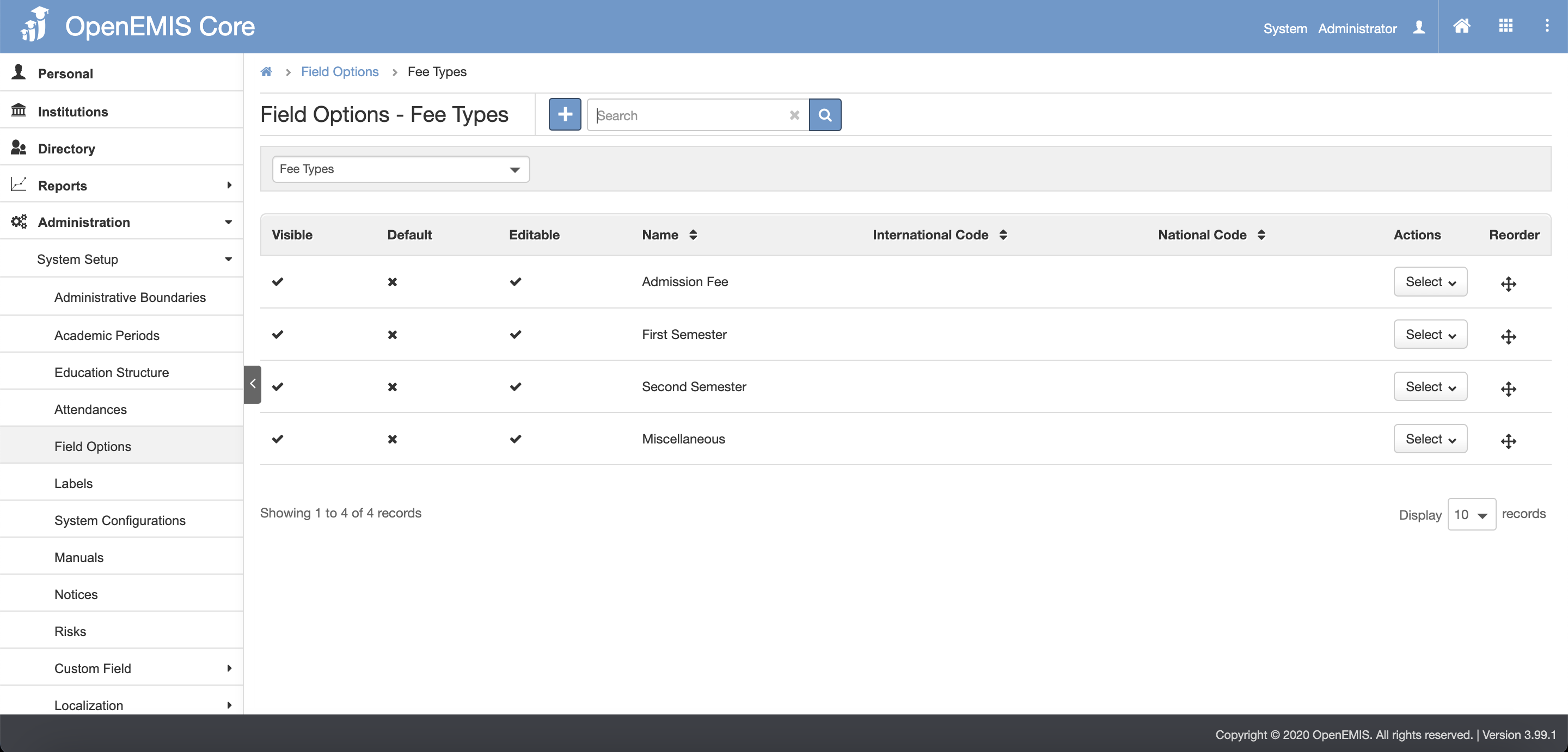
3. Click the Add button.

4. Fill in the fields and click the Save button.
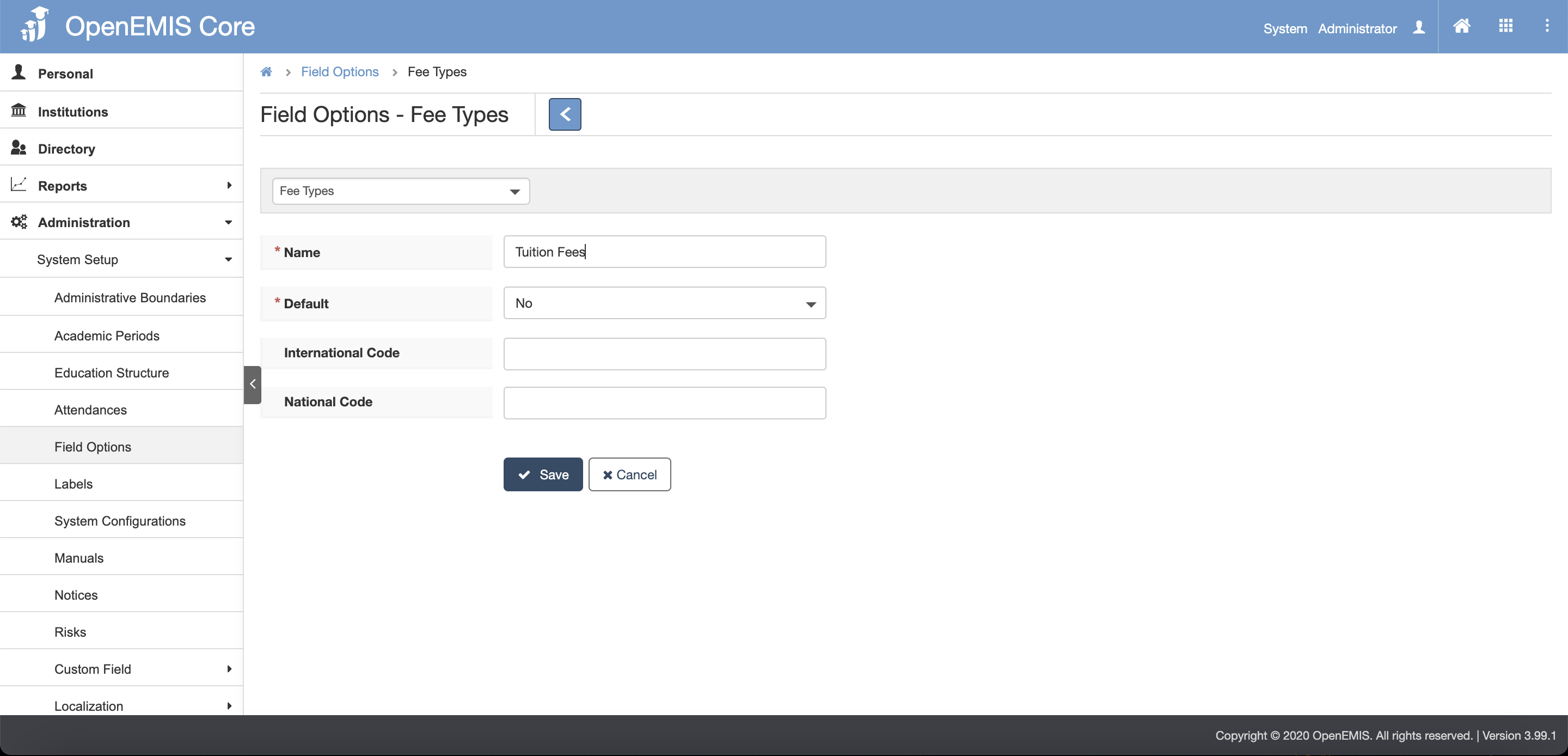
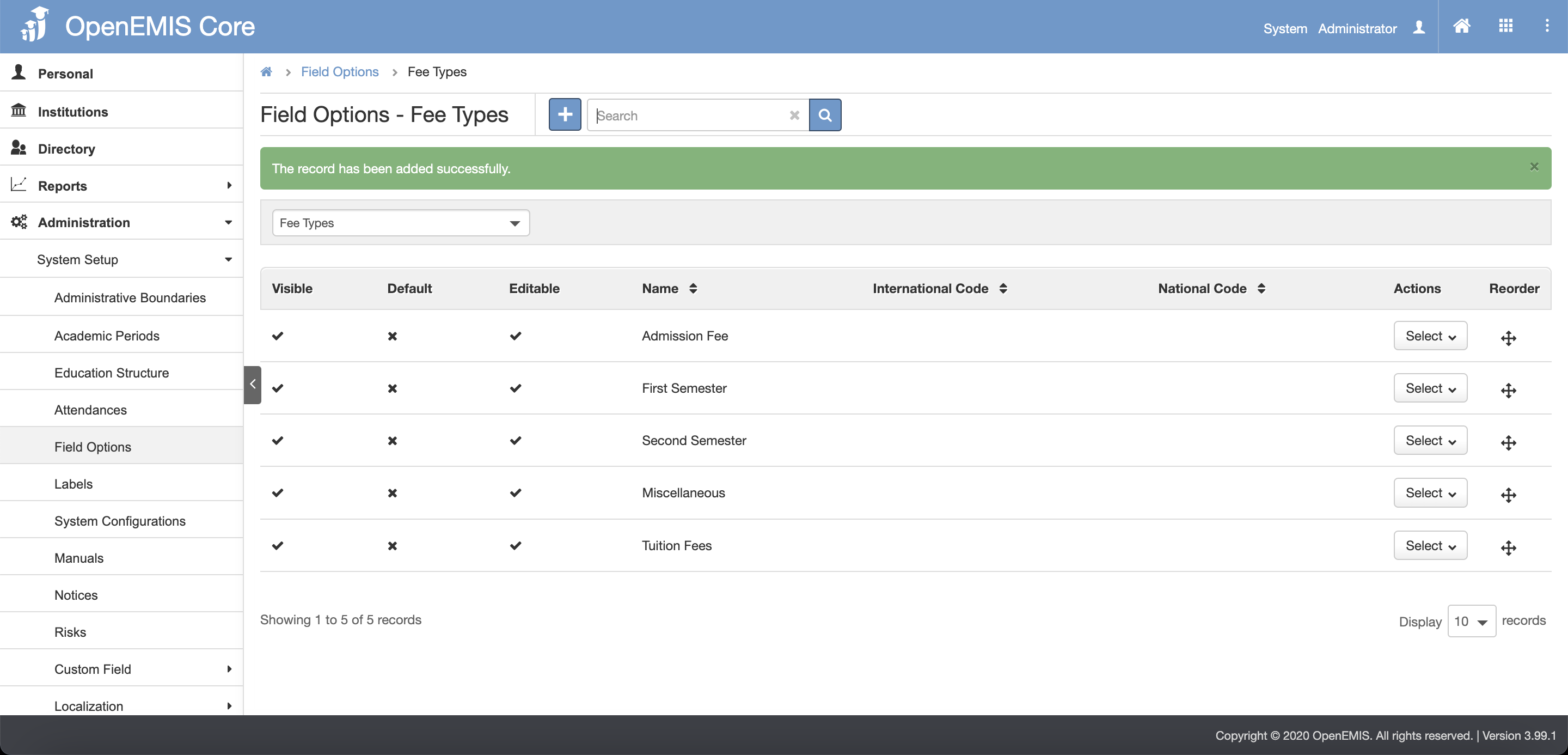
5. There will be a message showing that record is successfully added.

Configuring Finance Fees For Institution Grade

1. Navigate to Institutions > Finance > Institutions Fees page.

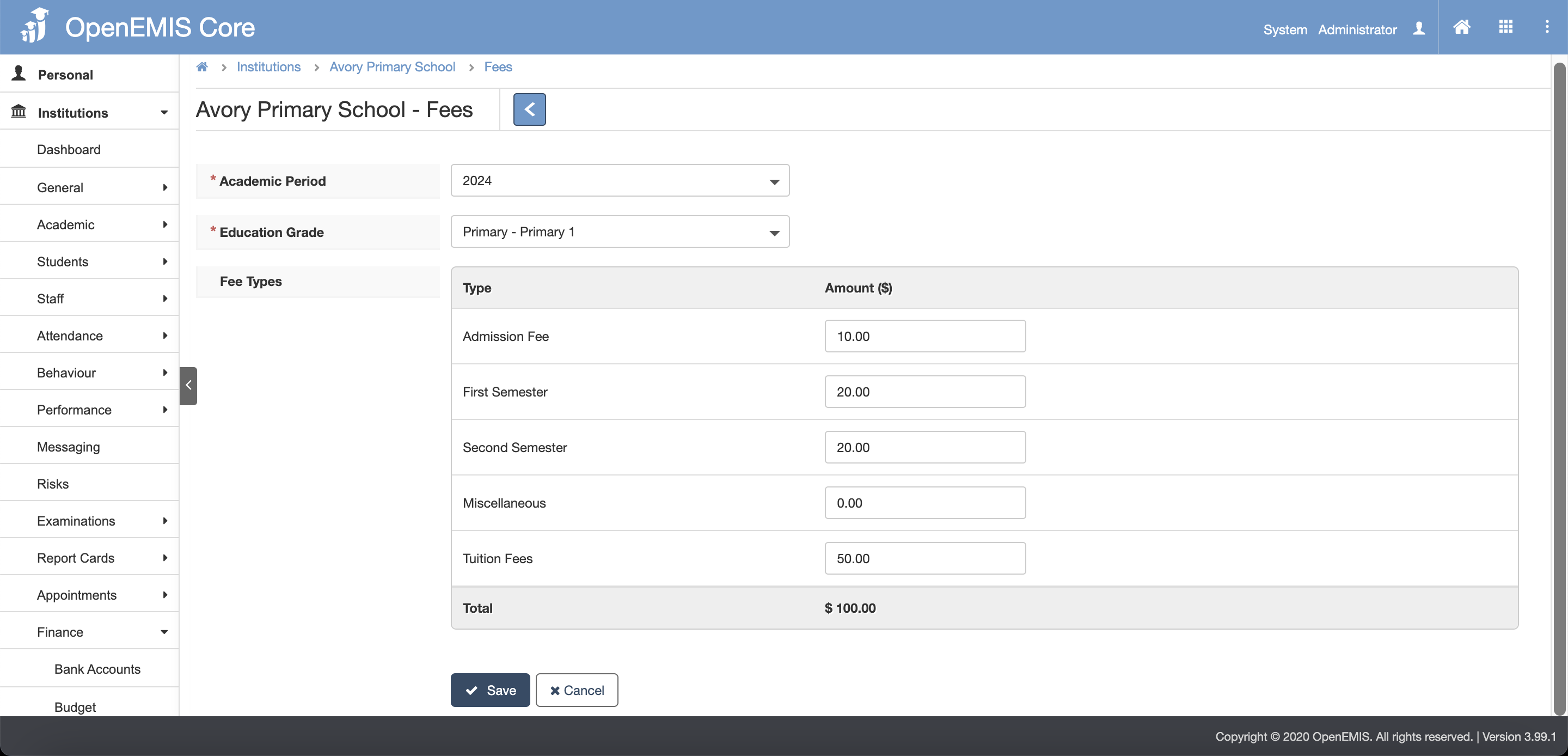
2. Click the Add button.
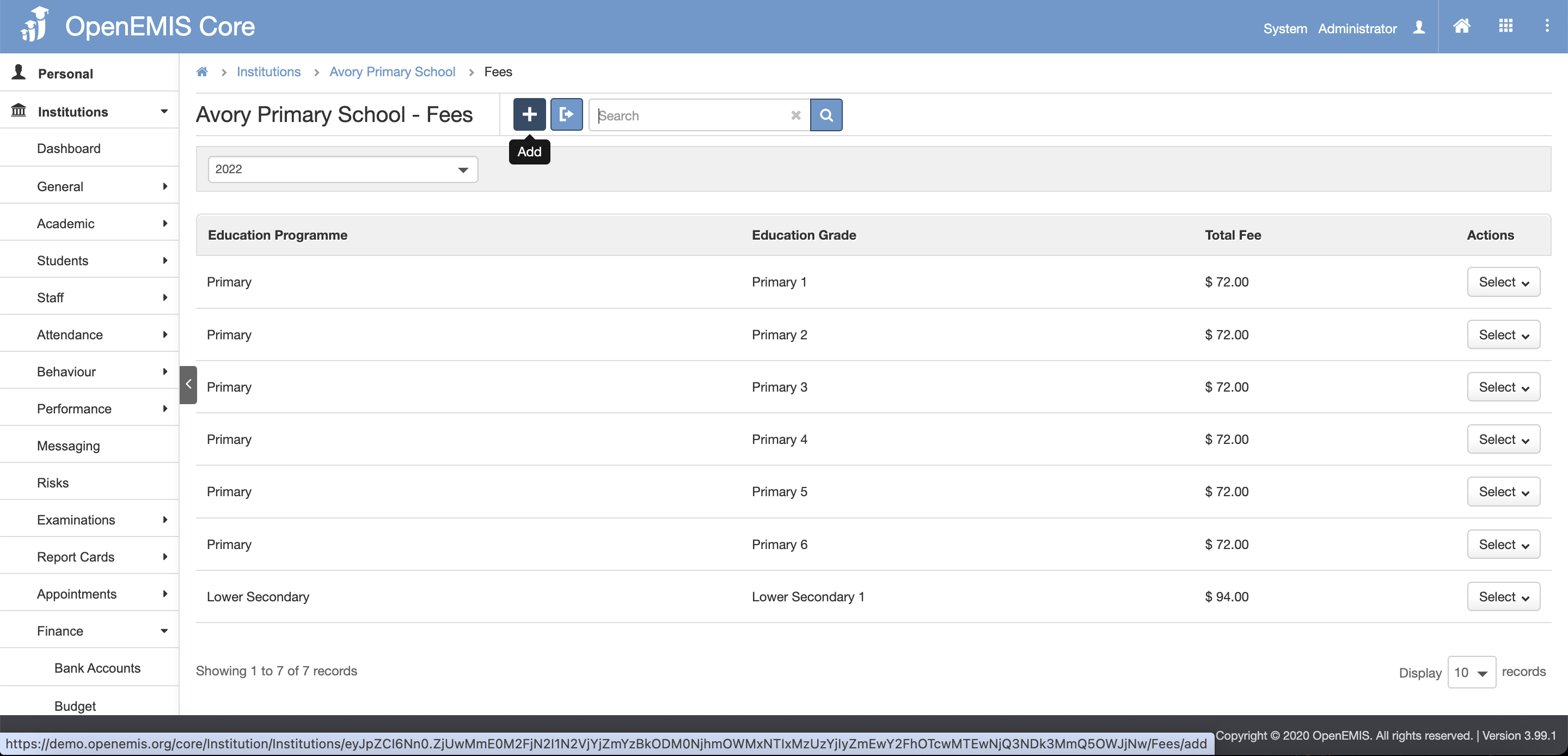
3. Fill in the fields and click the Save button.
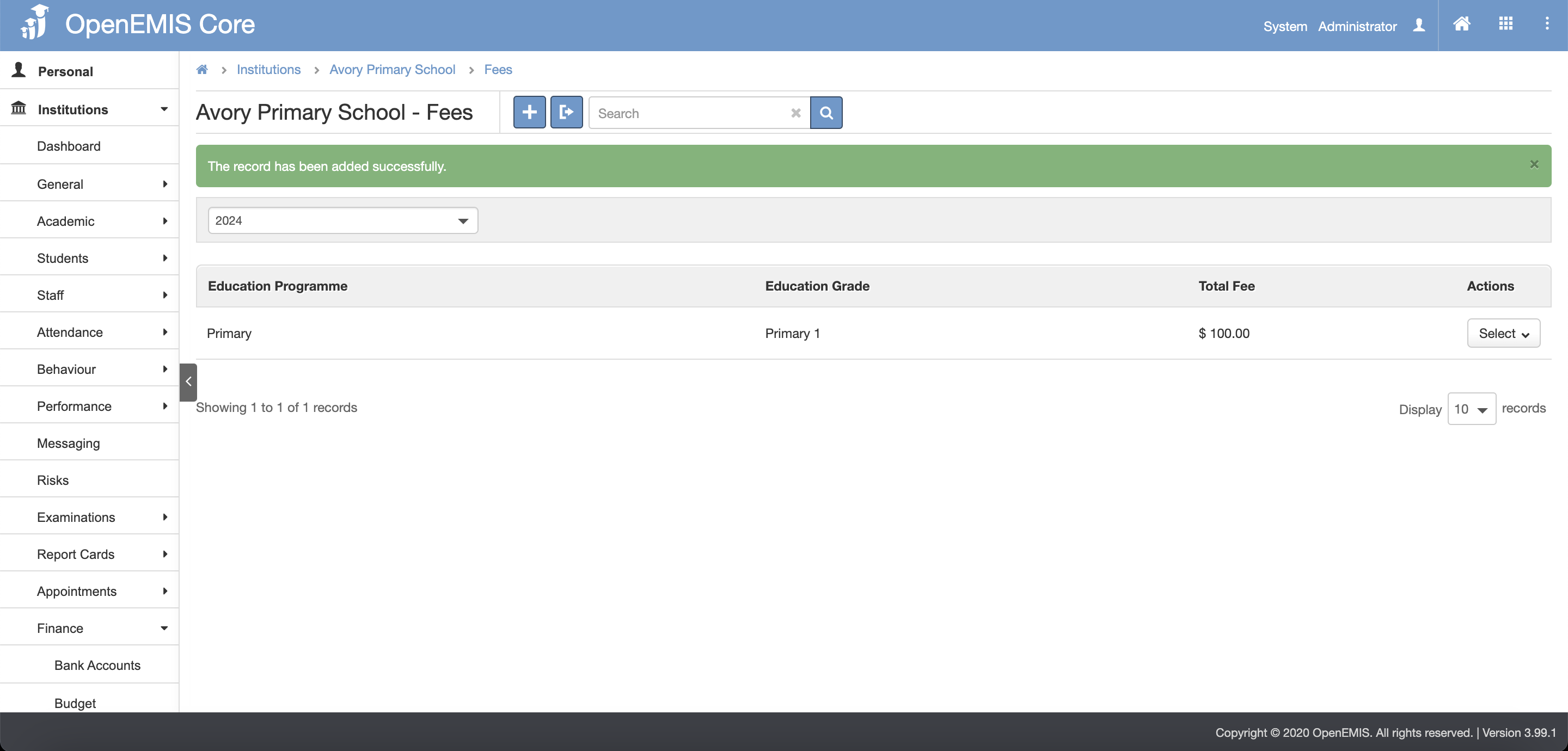
4. There will be a message showing that record is successfully added.

Adding Finance Fees for Students (paid)

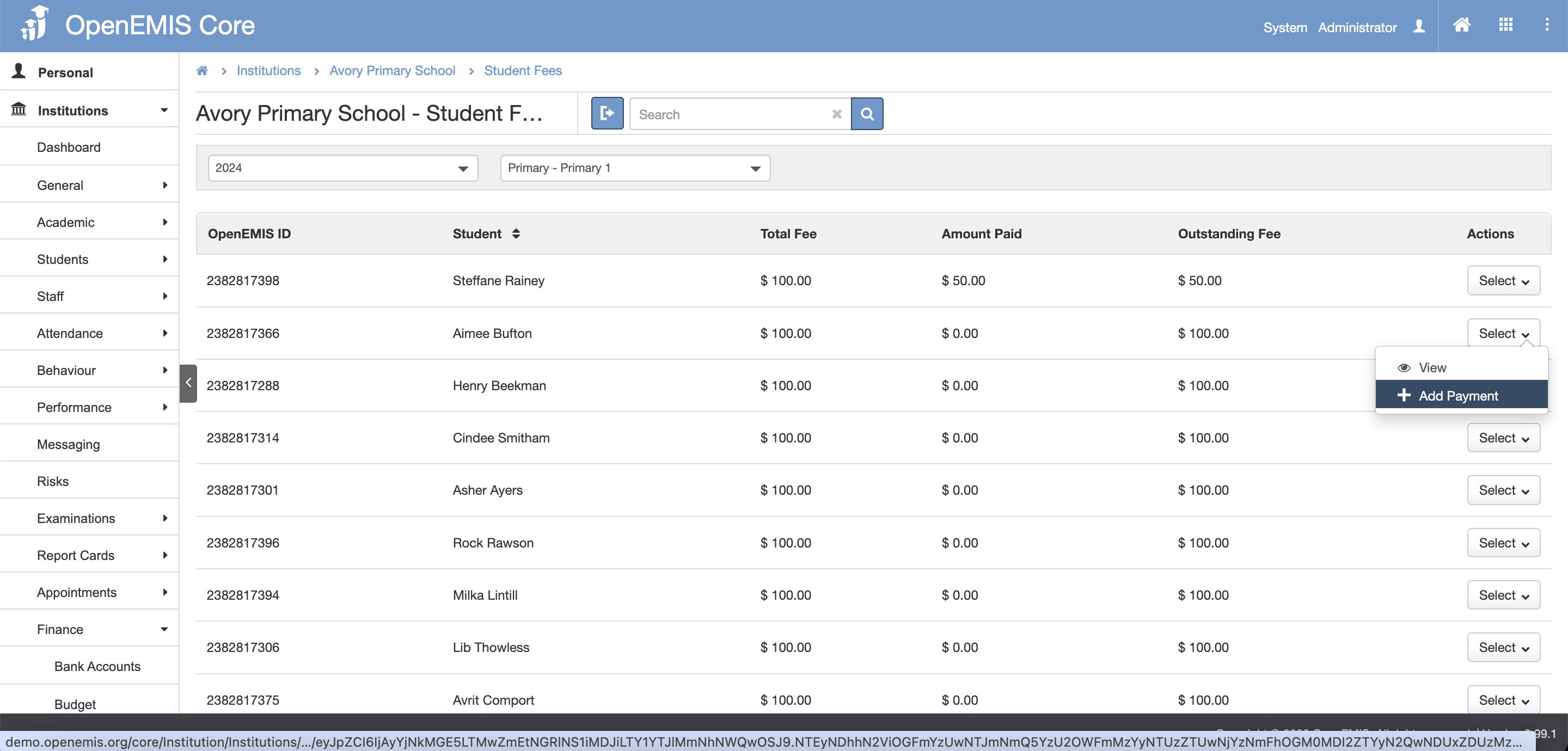
1. Navigate to Institutions > Finance > Students Fees page.

2. Click the Add Payment under the select button.
3. Click the Add New Payment button.
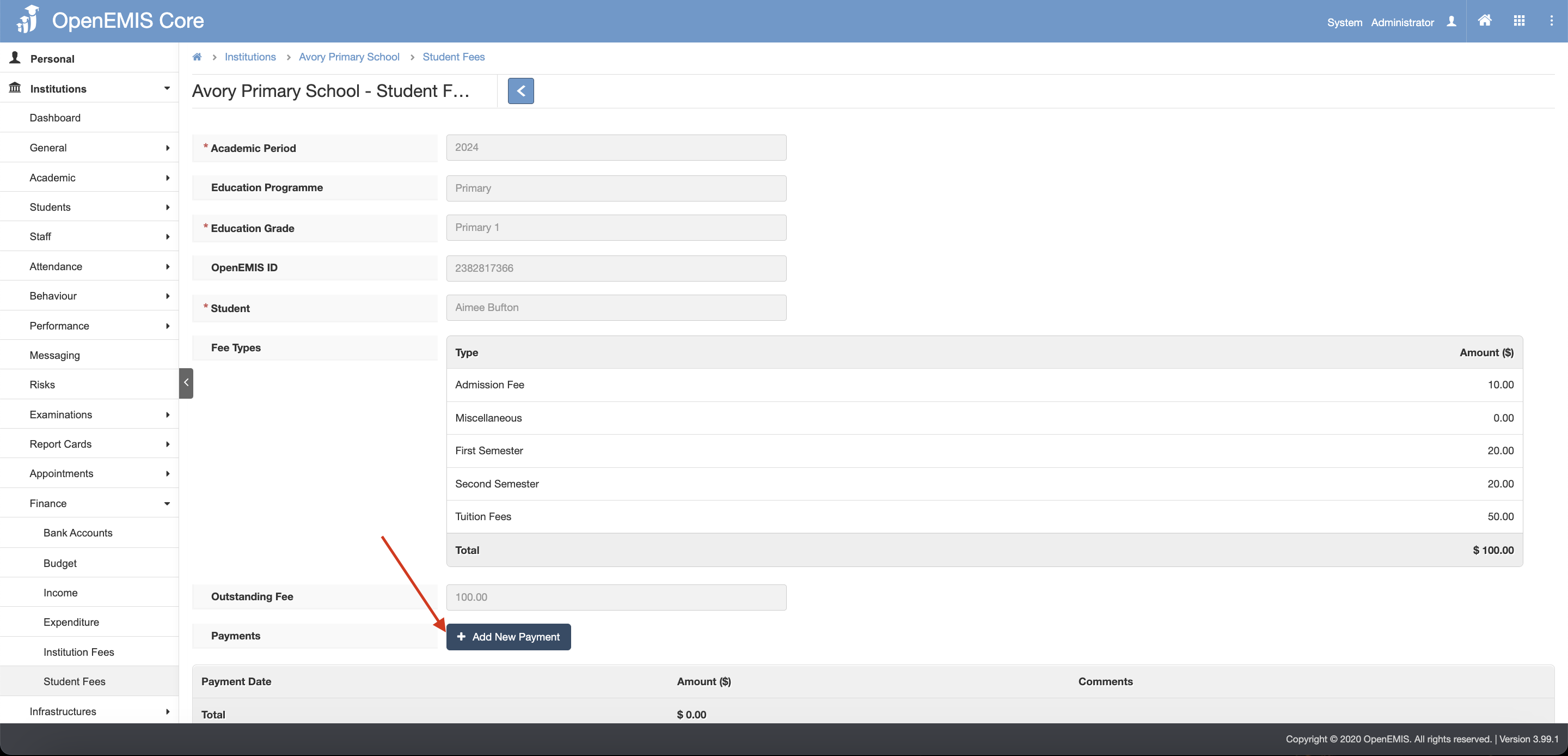
4. Fill in the Payment Date, Amount and Comments. 

5. To add a new record, click the Add New Payment button and a new row will appear.

6. Click the Save button.
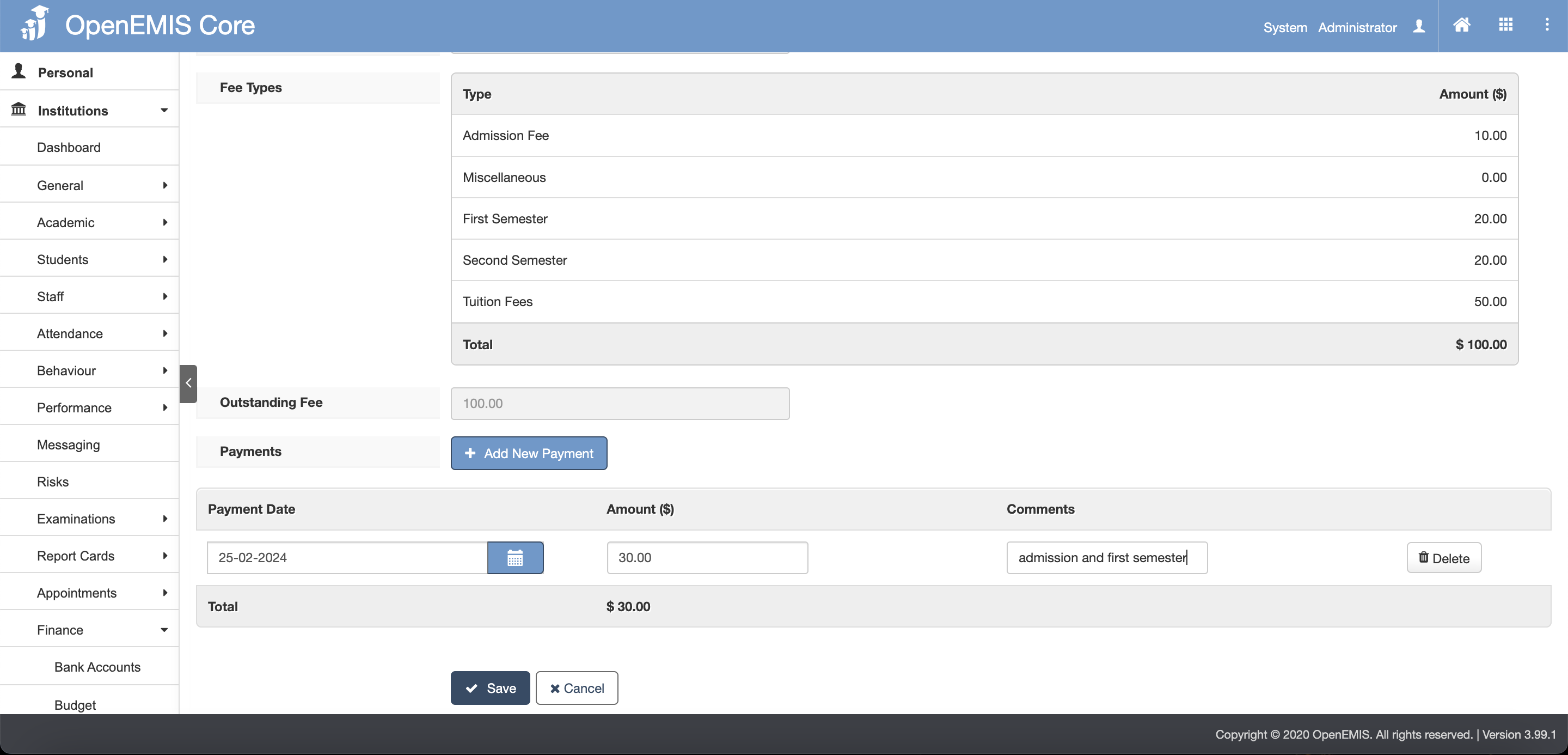
7. There will be a message showing that record is successfully added.


Viewing Finance Fees for Students(under student profile)

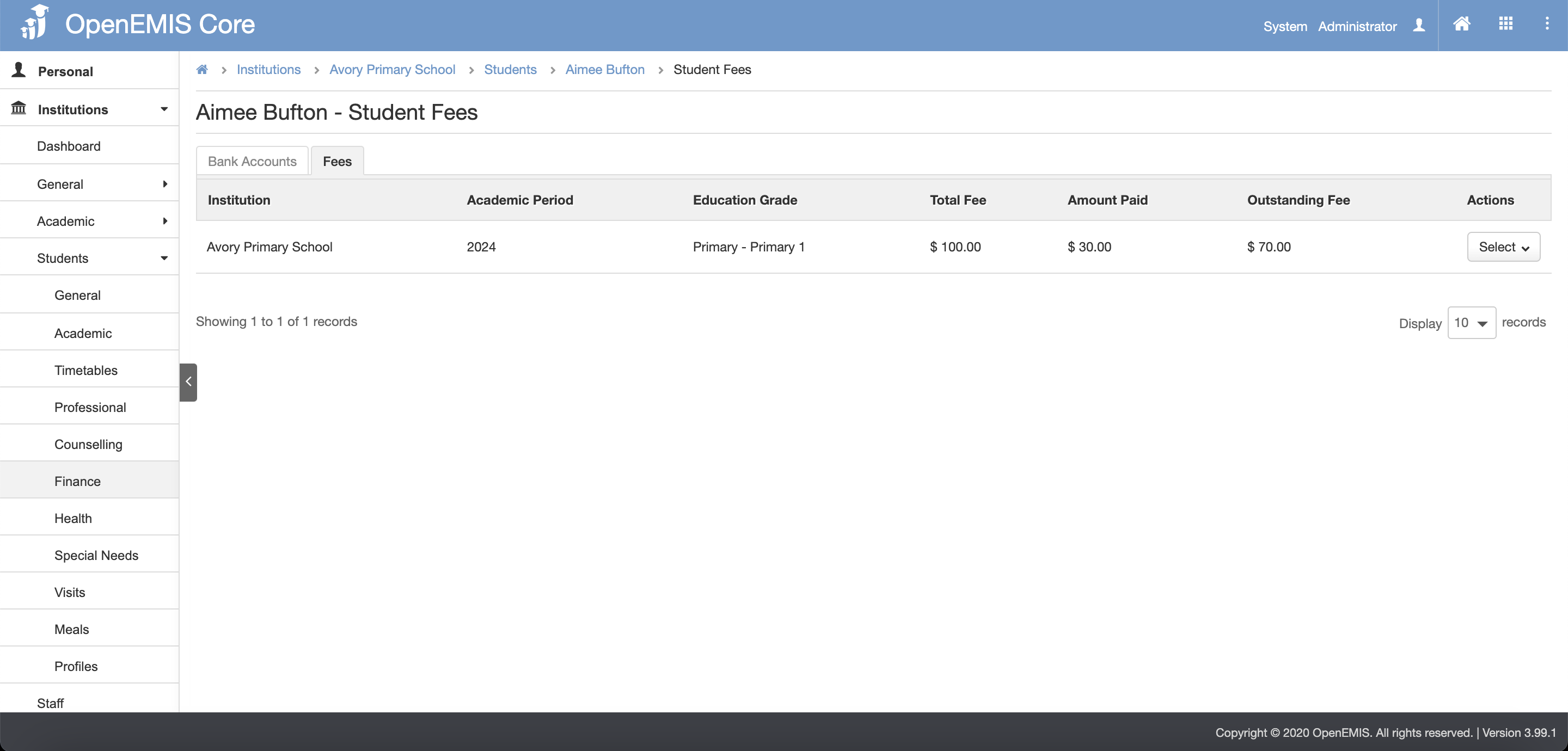
1. Navigate to Institutions/Directory > Students > Finance page.

2. Select the Fees tab.

3. History records of student fees will be shown.
    • Related Articles

    • Finances (Institutions/Students)

      Name: OpenEMIS Core Article Name: Finances (Institutions/Students) Category/Module: Finances, Institutions, Students Version: 3.99.1 Date Updated: 25 March 2024 Purpose: To allow users to enter Institutions and Students Finances in OpenEMIS Core to ...
    • Adding Students to Institutions

      Name: OpenEMIS Core Article Name: Adding Students to Institutions Category/Module: Institutions Version: 3.105.0 Date Updated: 6 Feb 24 Purpose: Easily add new entrants to current academic period using the Add feature. The system performs a system ...
    • Rules – Institutions

      Name: OpenEMIS Core Article Name: Rules Category/Module: Institution Tags: Institution General Date Updated: 1 July 2019 Version: 3.43.3 Purpose : This is to record the business logic Module : Institutions Page Rules View Institutions For user to ...
    • Students Import

      Name: OpenEMIS Core Article Name: Student Import Category/Module: Students, Institutions Tags: Add Students Date Updated: 29 March 2022 Purpose: This Students Import feature allow users to: Import Students in bulk to the Directory. Import Students in ...
    • Students Import

      Name: OpenEMIS Core Article Name: Student Import Category/Module: Students, Institutions Tags: Add Students Date Updated: 29 March 2022 Purpose: This Students Import feature allow users to: Import Students in bulk to the Directory. Import Students in ...