Institution Import

Institution Import

Name: OpenEMIS Core
Article Name: Institution Import
Category/Module: Administration, Institution
Tags: Institution
Date Updated: 29 March 2022

Purpose:

This Institution Import feature allows Admin user to import institutions in a bulk.

Import Institution 
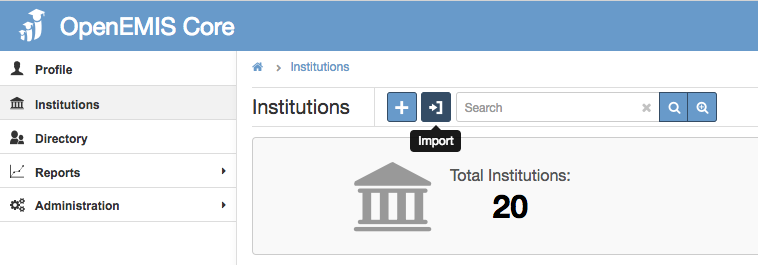
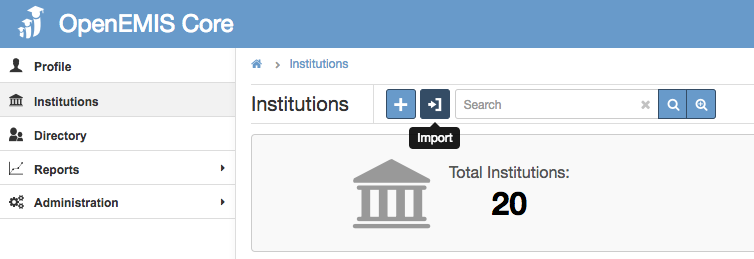
Step 1: Go to Institutions > Import
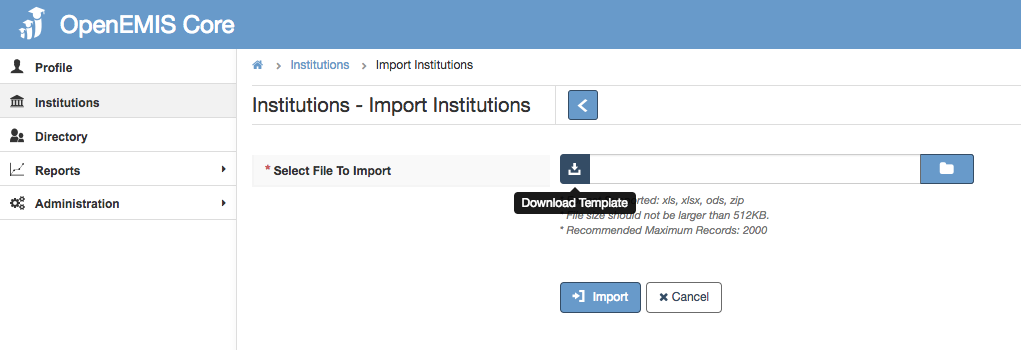
Step 2: Download Template
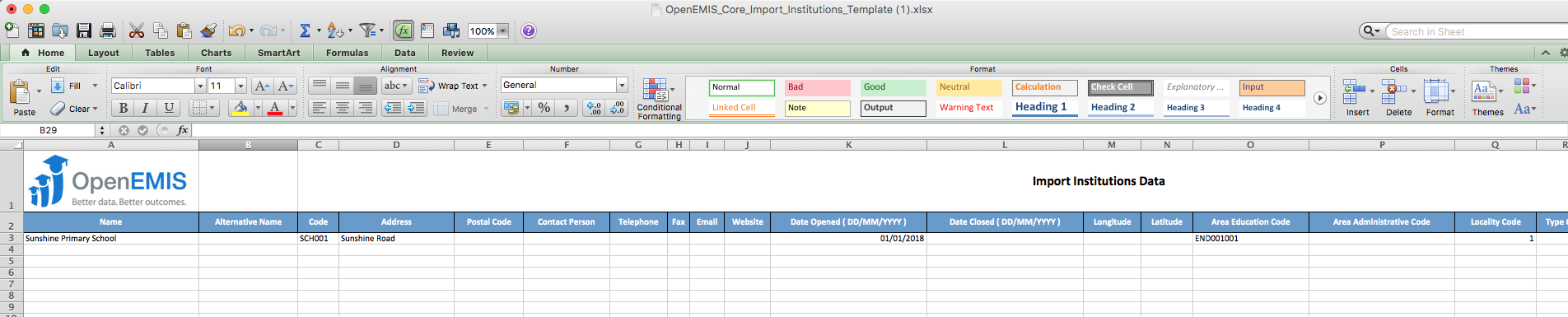
Step 3: Fill in the necessary information

Things To Note
1) These fields are mandatory to fill in:
• 
Name
• 
Code
• 
Address
• 
Date Opened
• 
Area Education Code
• 
Locality Code
• 
Type Code
• 
Ownership Code
• 
Sector Code
• 
Provider
• 
Gender Code
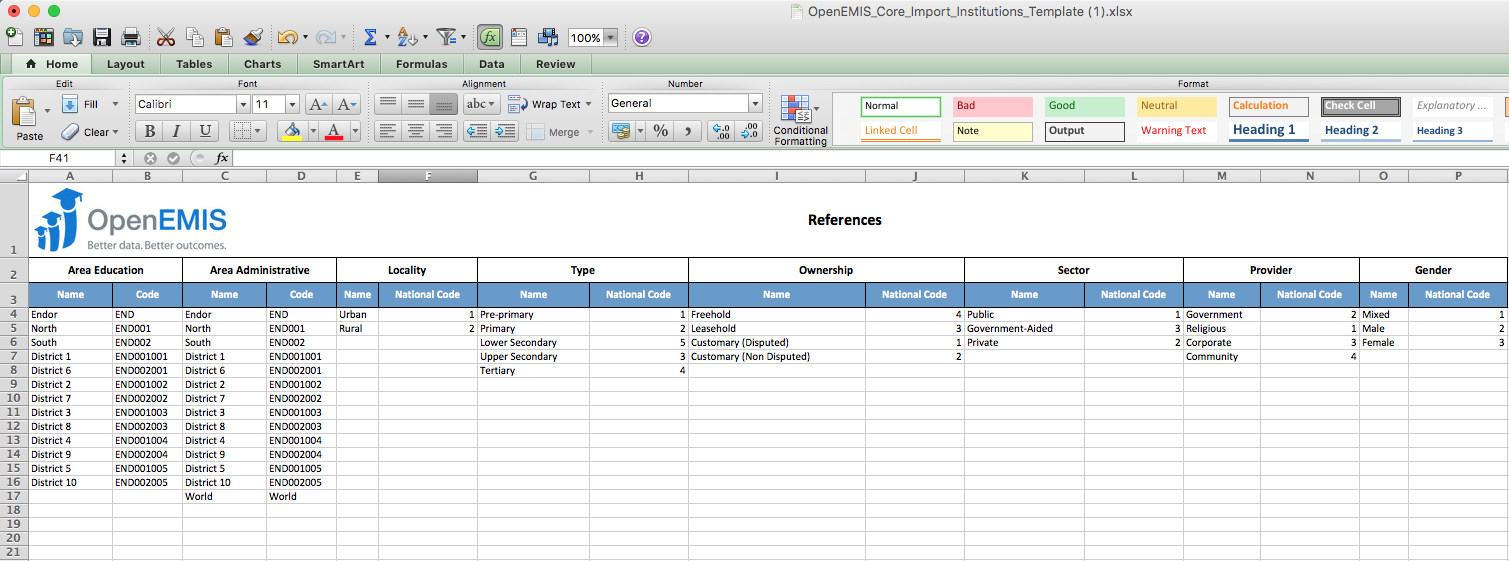
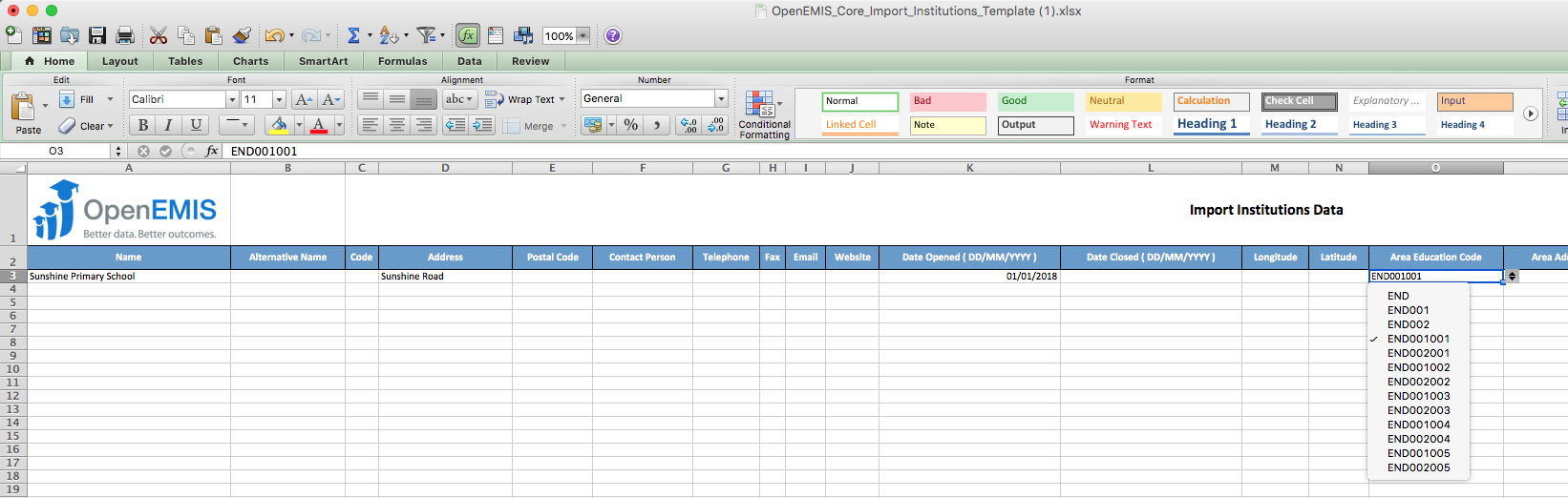
2 Look at the references tab if you are unsure of the values in the dropdown list 

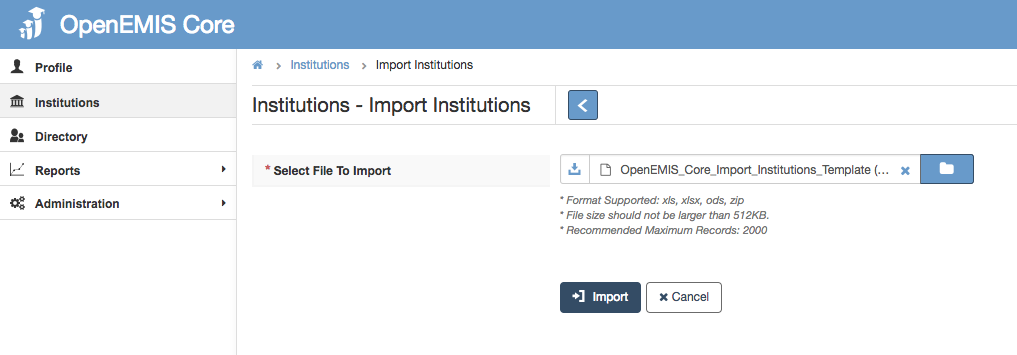
Step 4: Upload and import the template

Successful Import 
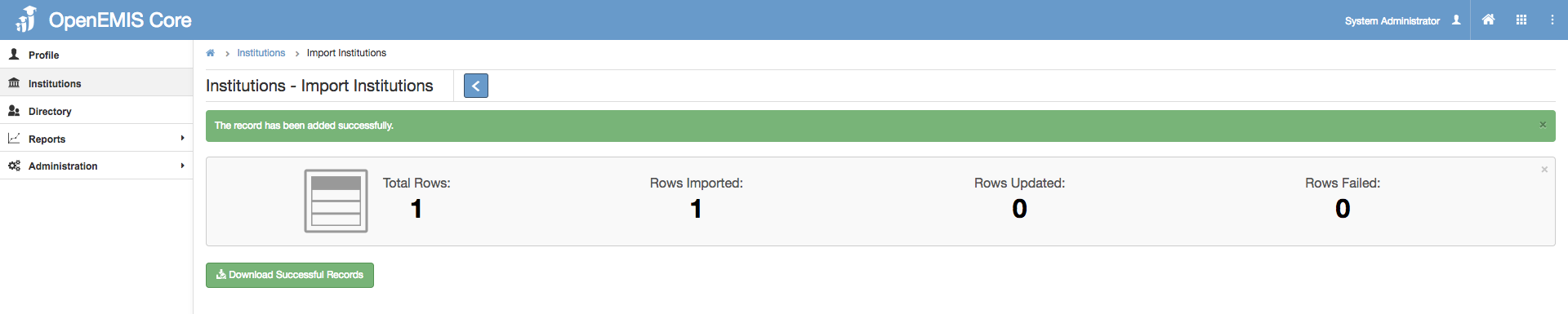
Import will be successful if mandatory fields are filled in and records are correct.

Failed Import 
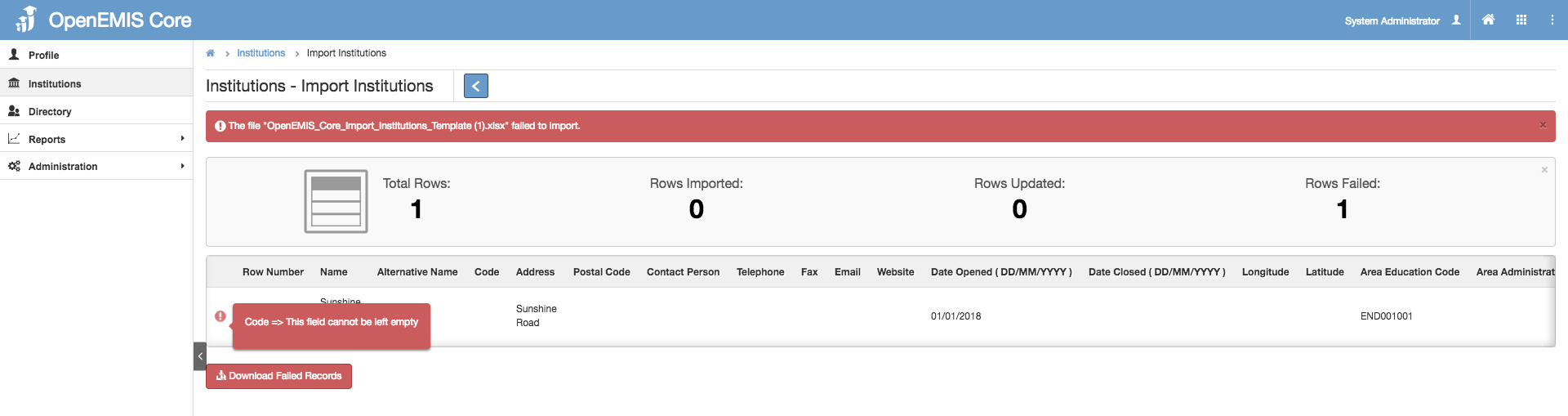
If the file fails to import, the tool tip will indicate the error message.

    • Related Articles

    • Institution Import

      Name: OpenEMIS Core Article Name: Institution Import Category/Module: Administration, Institution Tags: Institution Date Updated: 29 March 2022 Purpose: This Institution Import feature allows Admin user to import institutions in a bulk. Import ...
    • Staff Import

      Name: OpenEMIS Core Article Name: Staff Import Category/Module: Staff, Institutions Tags: Staff, Add Staff Date Updated: 29 March 2022 Purpose: This Staff Import feature allow users to: Import Staff in bulk to the Directory. Import Staff Positions in ...
    • Staff Import

      Name: OpenEMIS Core Article Name: Staff Import Category/Module: Staff, Institutions Tags: Staff, Add Staff Date Updated: 29 March 2022 Purpose: This Staff Import feature allow users to: Import Staff in bulk to the Directory. Import Staff Positions in ...
    • Staff Import

      Purpose: This Staff Import feature allow users to: Import Staff in bulk to the Directory. Import Staff Positions in bulk to Institutions Import Staff in bulk to Institutions Features: Import Staff Directory Import Institutions Position Import ...
    • Import Body Masses

      Name: OpenEMIS Core Article Name: Import Body Masses Category/Module: Institution Tags: Institution Date Updated: 23 July 2018 Purpose: To import Body Mass (Height & Weight) for multiple students Step 1: Go to Institutions > Students > Import Step 2: ...