Article Name: Manage Needs – Infrastructure
Category/Module: Administration, Institution
Tags: Needs, Infrastructure
Version: 3.10.13
Date Updated: 1 Dec 2017
This Manage Needs – Infrastructure feature allows you to:
- Track your Infrastructure Needs through any point in time with the flexible Needs/Projects Overview.
- Check which Infrastructure Needs are associated to a specific Project.
- Setup Infrastructure Needs Types (Administration)
- Manage Infrastructure Needs
- Enable Security Role Permission (Administration)
Setup Infrastructure Needs Type
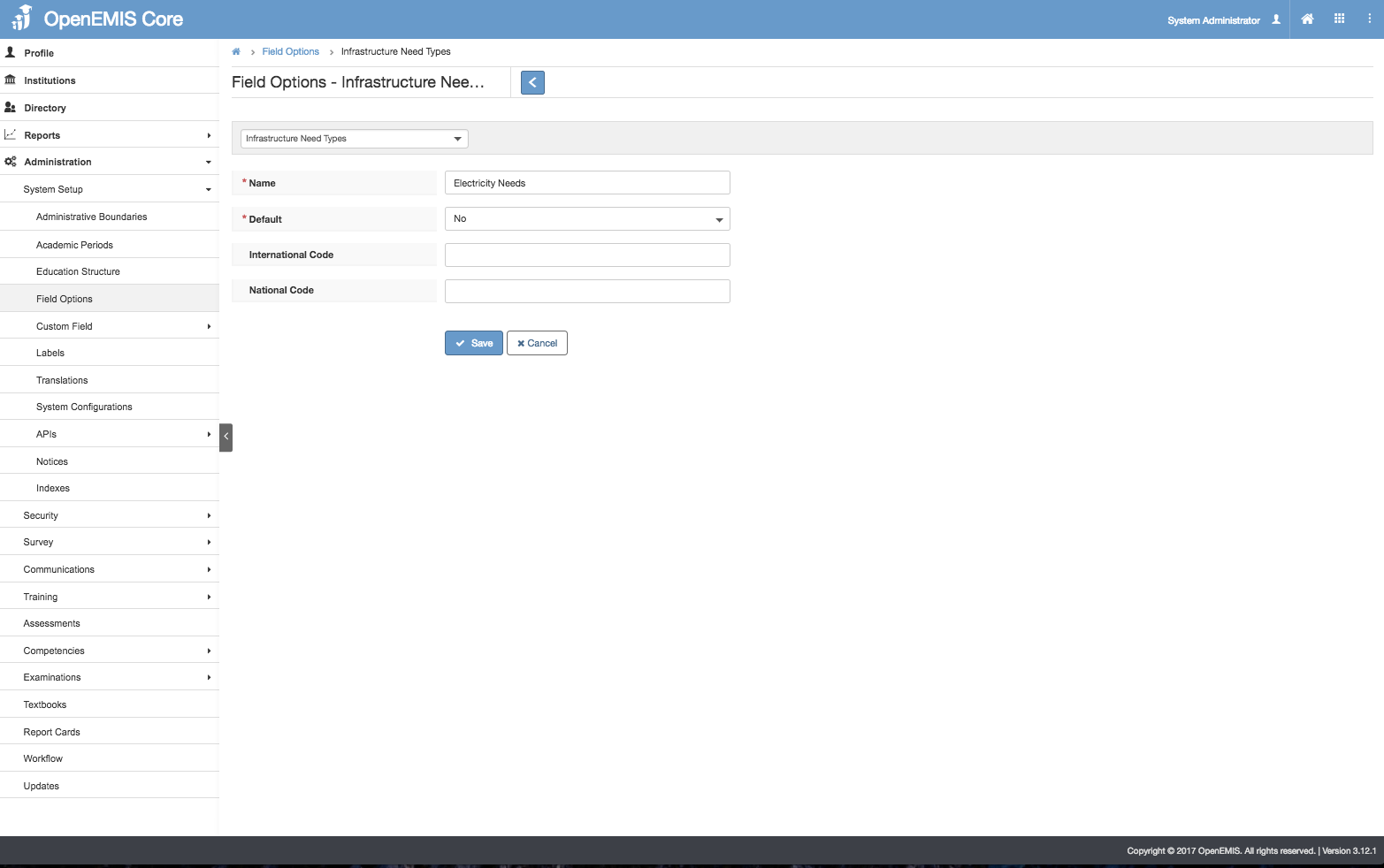
Create Infrastructure Need Type
1) Go to Administration > Field Options > Infrastructure Need Type
2) Select Add
3) Enter Name > Save.
4) Successful message will be displayed upon saving.
Edit Infrastructure Need Type
1) Go to Administration > Field Options > Infrastructure Need Type
2) Go to Actions Bar > Edit
3) Update the Name > Save.
4) System will display a message upon saving successfully.
View Infrastructure Need Type
1) Go to Administration > Field Options > Infrastructure Need Type
2) Go to Actions Bar > View.
3) You will be able to see additional details of the record.
4) Similarly, you will be able to edit or delete the record.
Delete Infrastructure Need Type
1) Go to Administration > Field Options > Infrastructure Need Type
2) Go to Actions Bar > Delete.
3) You will not be able to delete if the record have associated records.
4) Else, if there are no associated record > Save.
5) You will be able to delete the record successfully.
Manage Infrastructure Needs
Create Infrastructure Needs
1) Go to Institutions > Infrastructure > Needs
2) Select Add.
3) Enter all the required fields such as (Academic Period, Type, Functionality). All the fields except Academic Period will retrieve from the data entered in Field Options.
4) Select Save, System will display a successful message.
Edit Infrastructure Needs
1) Go to Institutions > Infrastructure > Needs
2) Select Actions Bar > Edit
3) You will be able to edit all the fields > Save.
4) Successful message will be displayed upon selecting Save.
View Infrastructure Needs
1) Go to Institutions > Infrastructure > Needs
2) Select Actions Bar > View.
3) You will be able to see Additional details of WASH record
4) Similarly, you will be able to update or delete the record.
Delete Infrastructure Needs
1) Go to Institutions > Infrastructure > Needs
2) Select Actions Bar > Delete.
3) System will display a confirmation box that all associated records will be removed.
4) System will display a message upon removing successfully.
