Withdrawing Students

Withdrawing Students

Purpose:  To withdraw students from Institutions.

Feature:

  • Configuring Student Withdrawal Reason
  • Withdrawing Student

Configuring Student Withdrawal Reason

1. Navigate to Administration > System Setup > Field Options

2. Select Student Withdraw Reasons
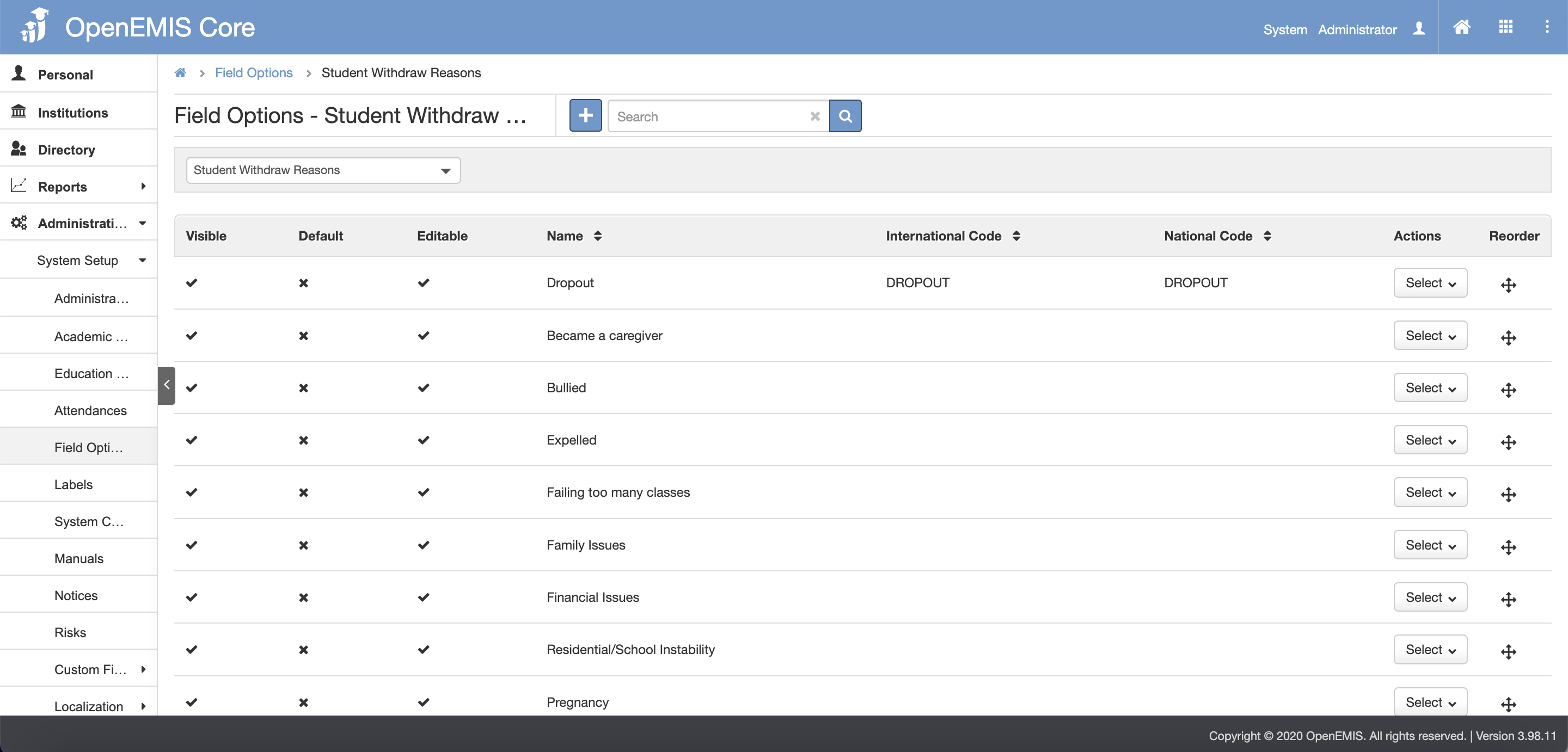
3. To add student withdraw reason, click on the Add button
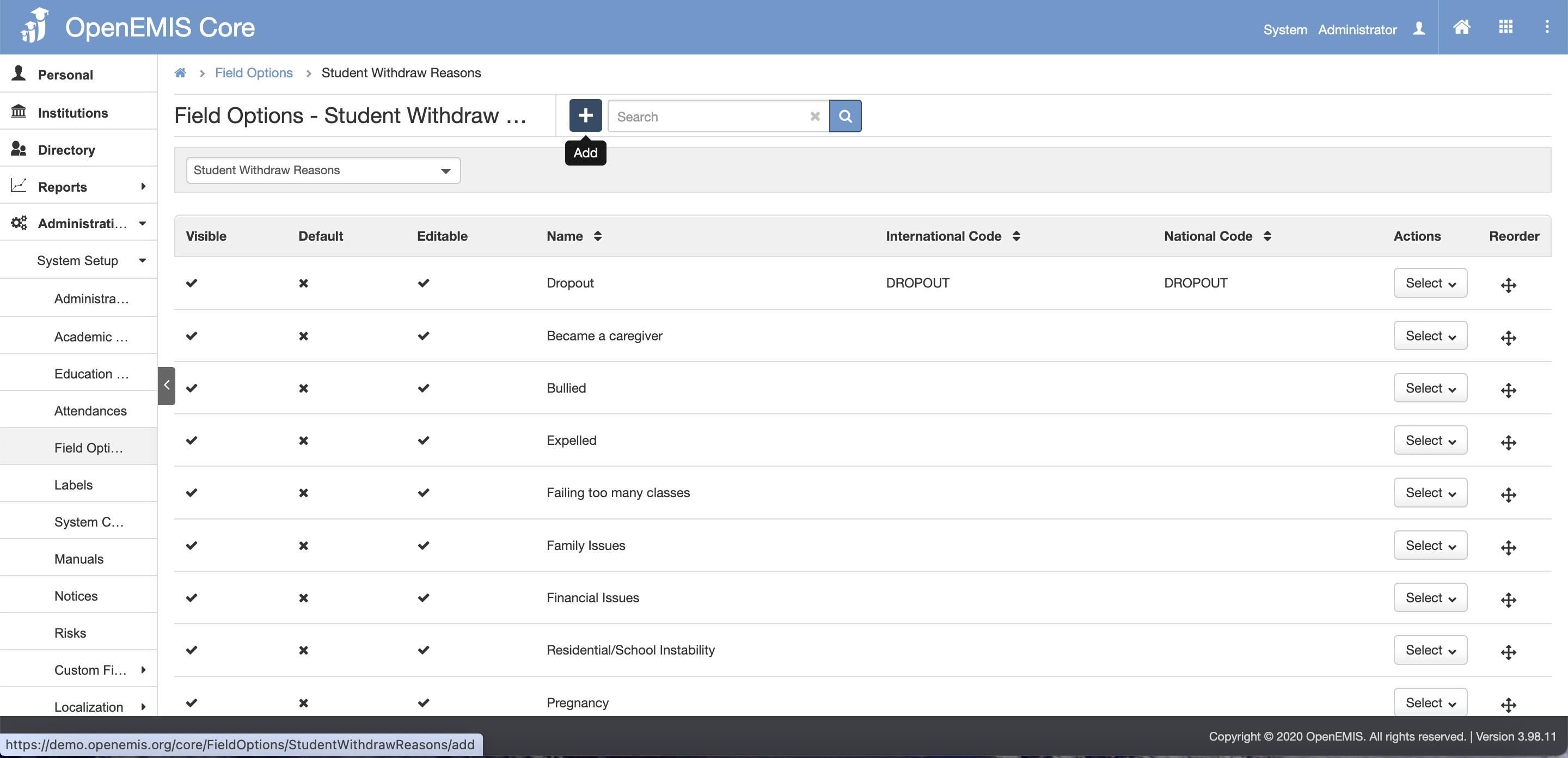
4. Input the withdraw reason in the Name field. It is optional to input the international Code or National Code

5. Once done, click the Save button

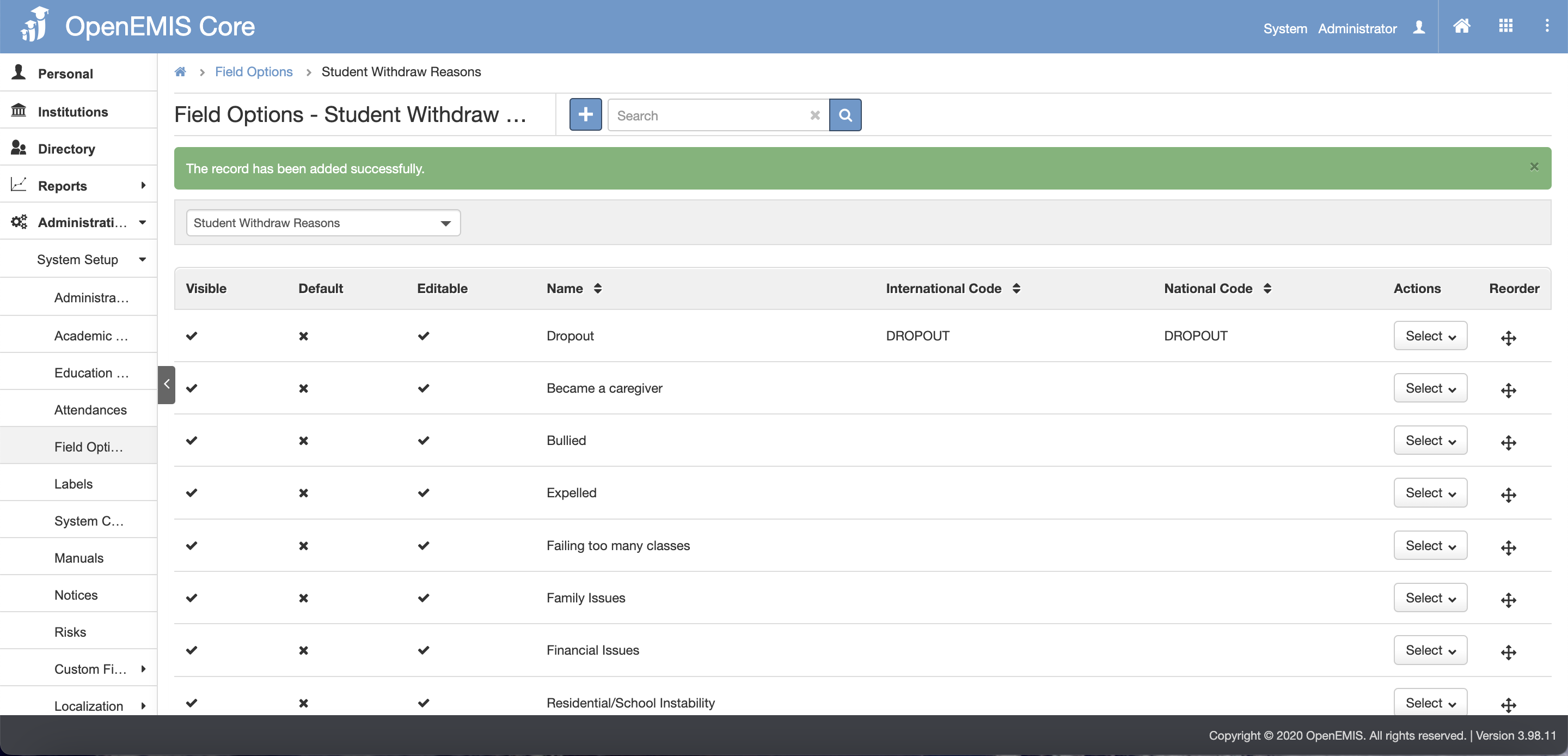
6. A successful message will display upon clicking the save button

Withdrawing Students

1. Navigate to Institutions > Students

2. Select the Student

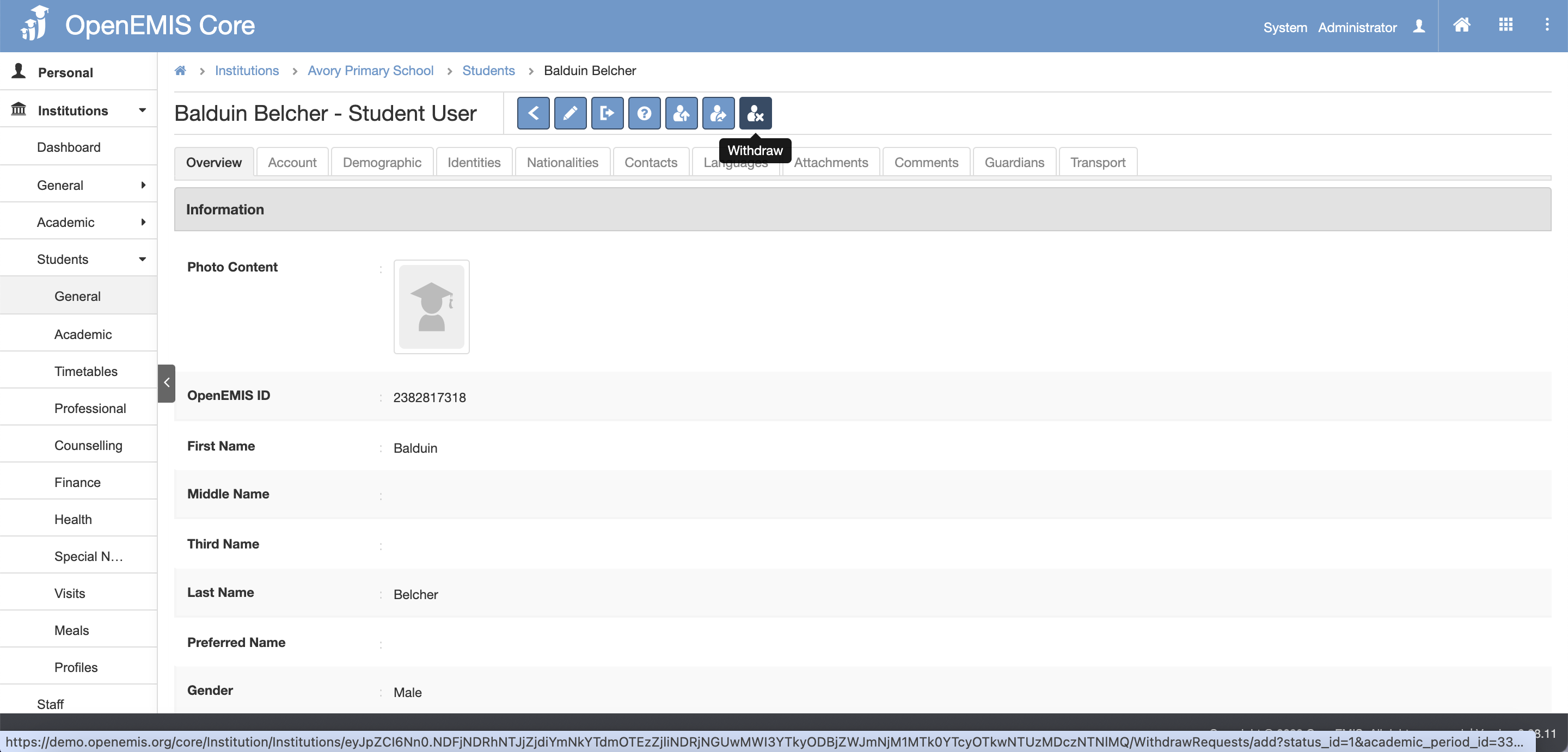
3. Click Withdraw button
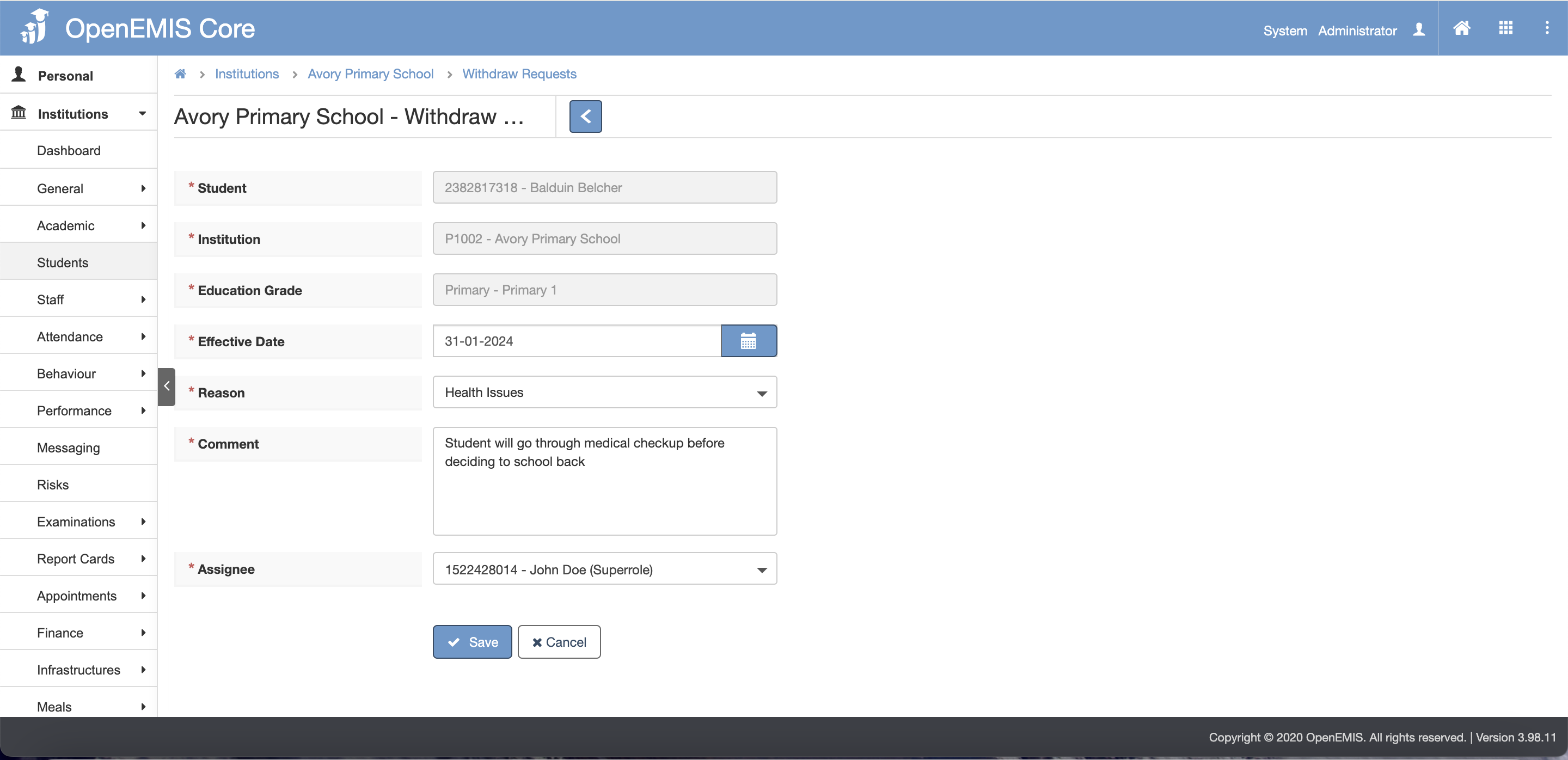
4. Select the Effective Date, Reason and Assignee.

5. Input the comment in the comment section as it is mandatory

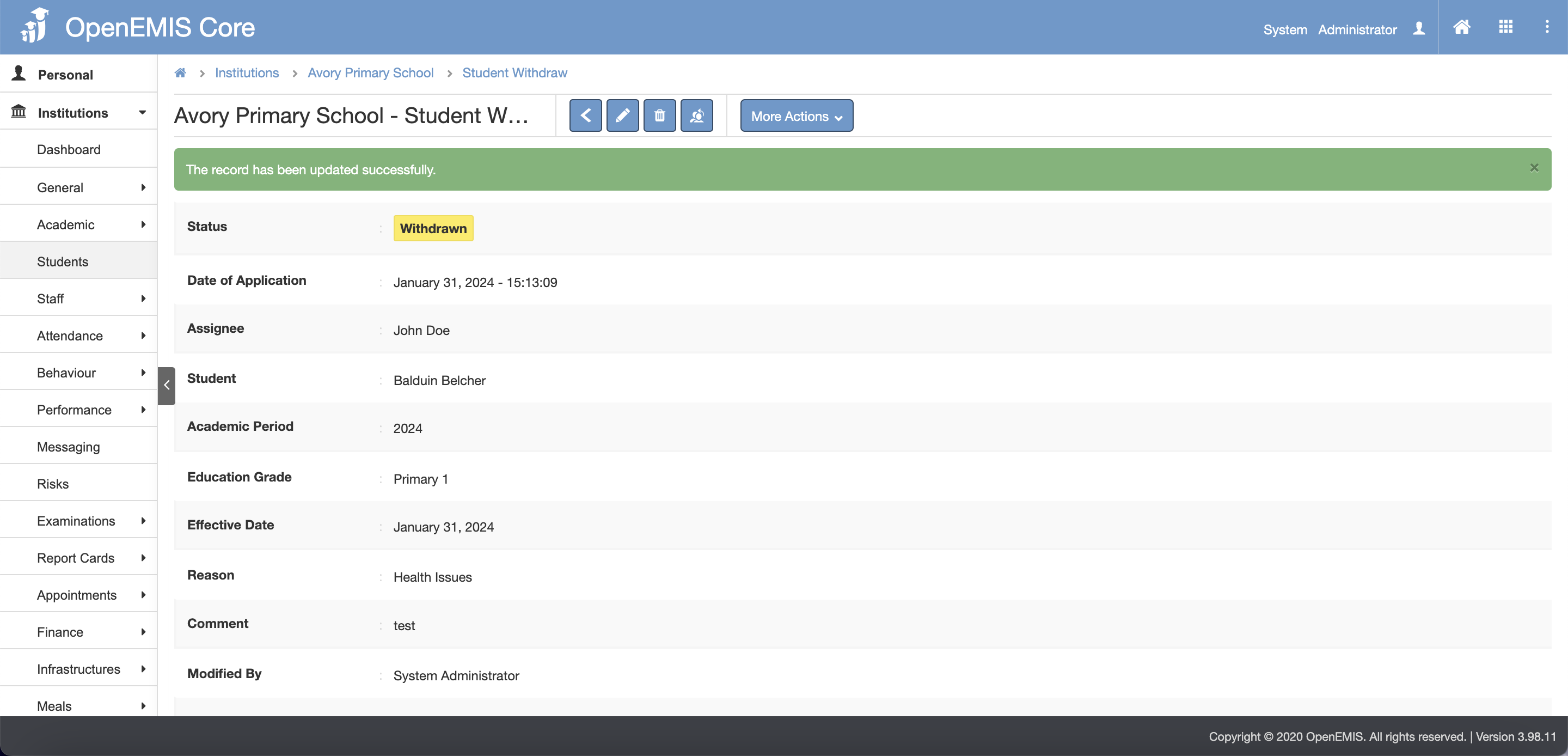
6. Once done, click Save
7. A successful message will display upon clicking the save button
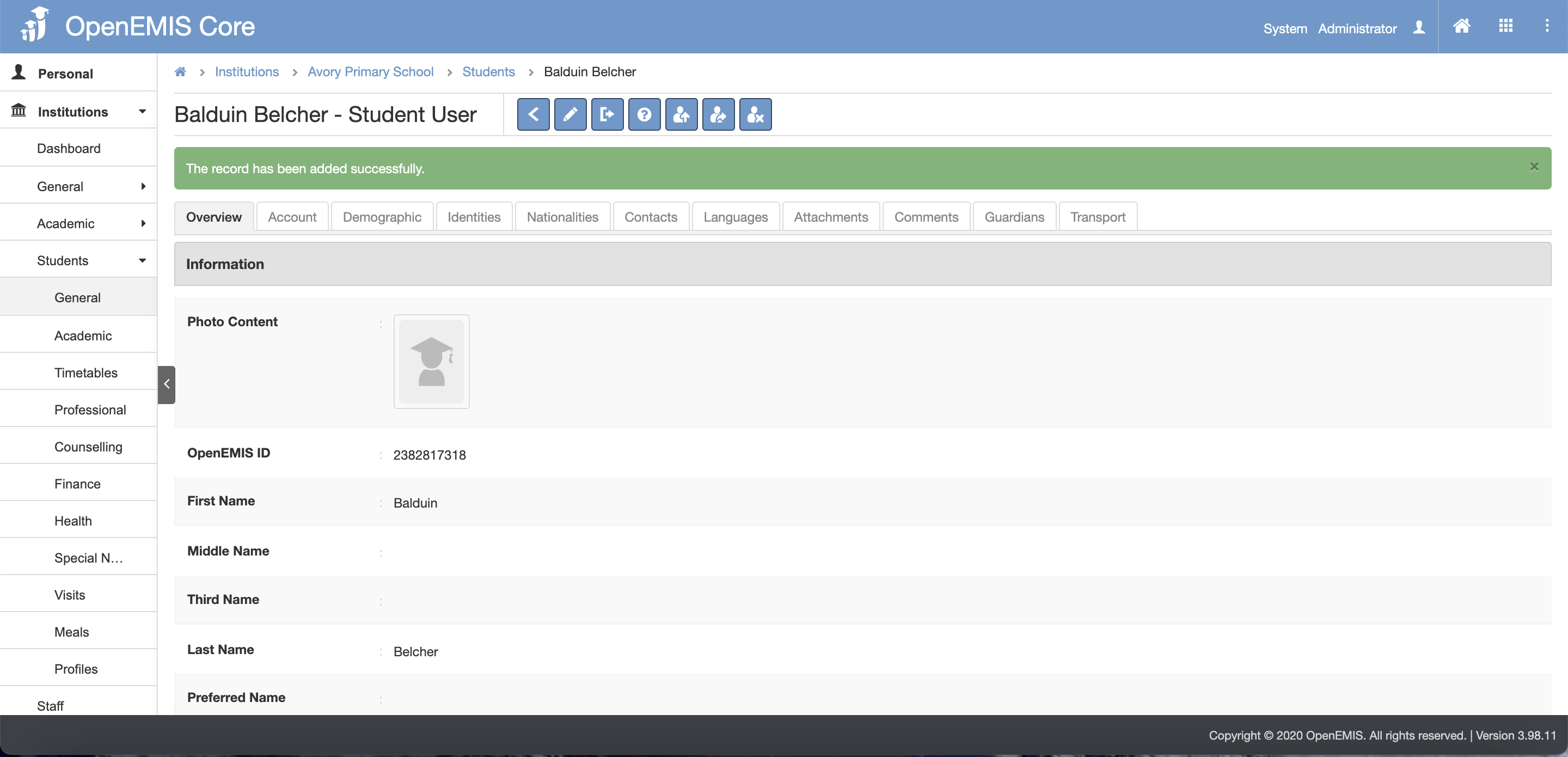
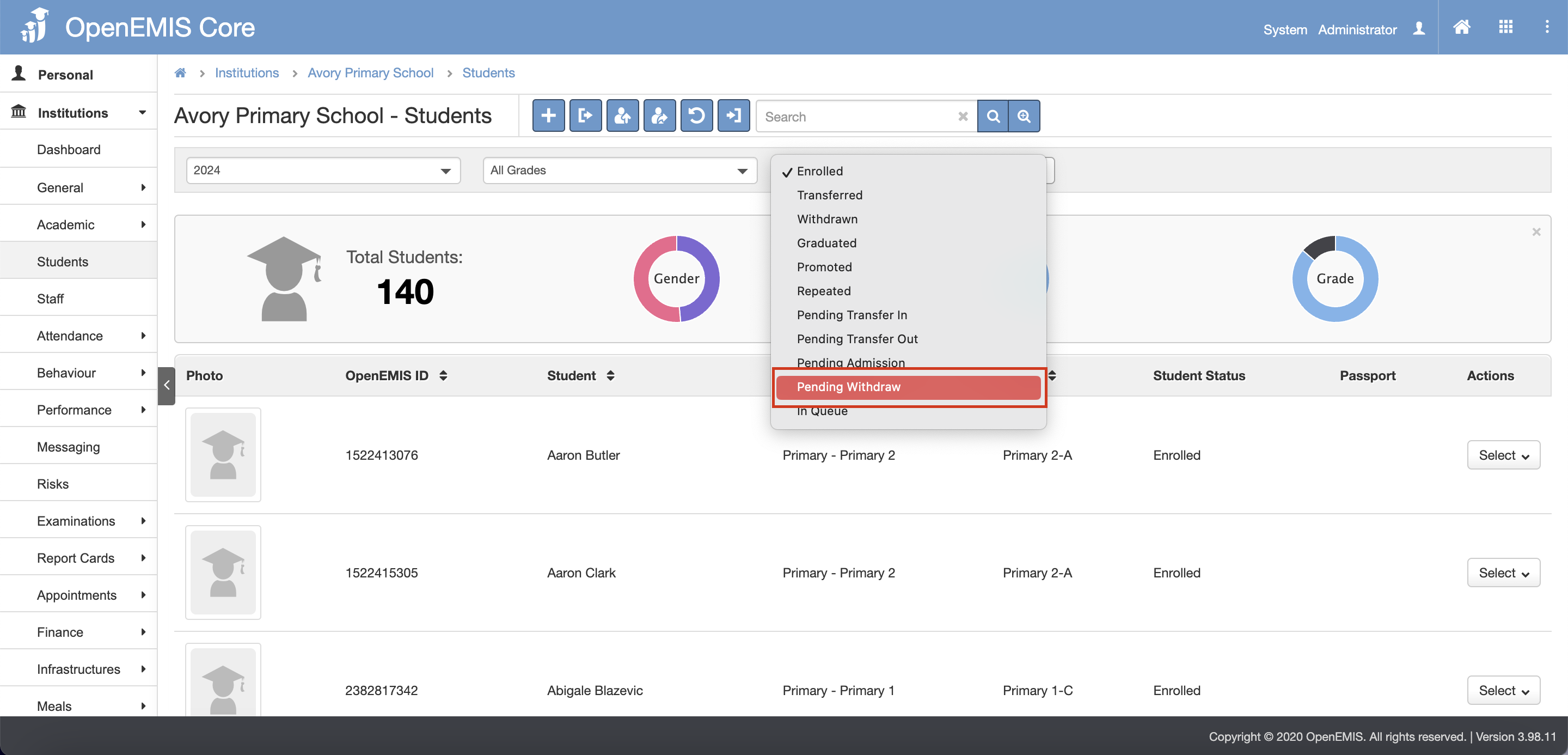
8. Navigate to Institutions > Students

9. In the status dropdown, select Pending Withdraw
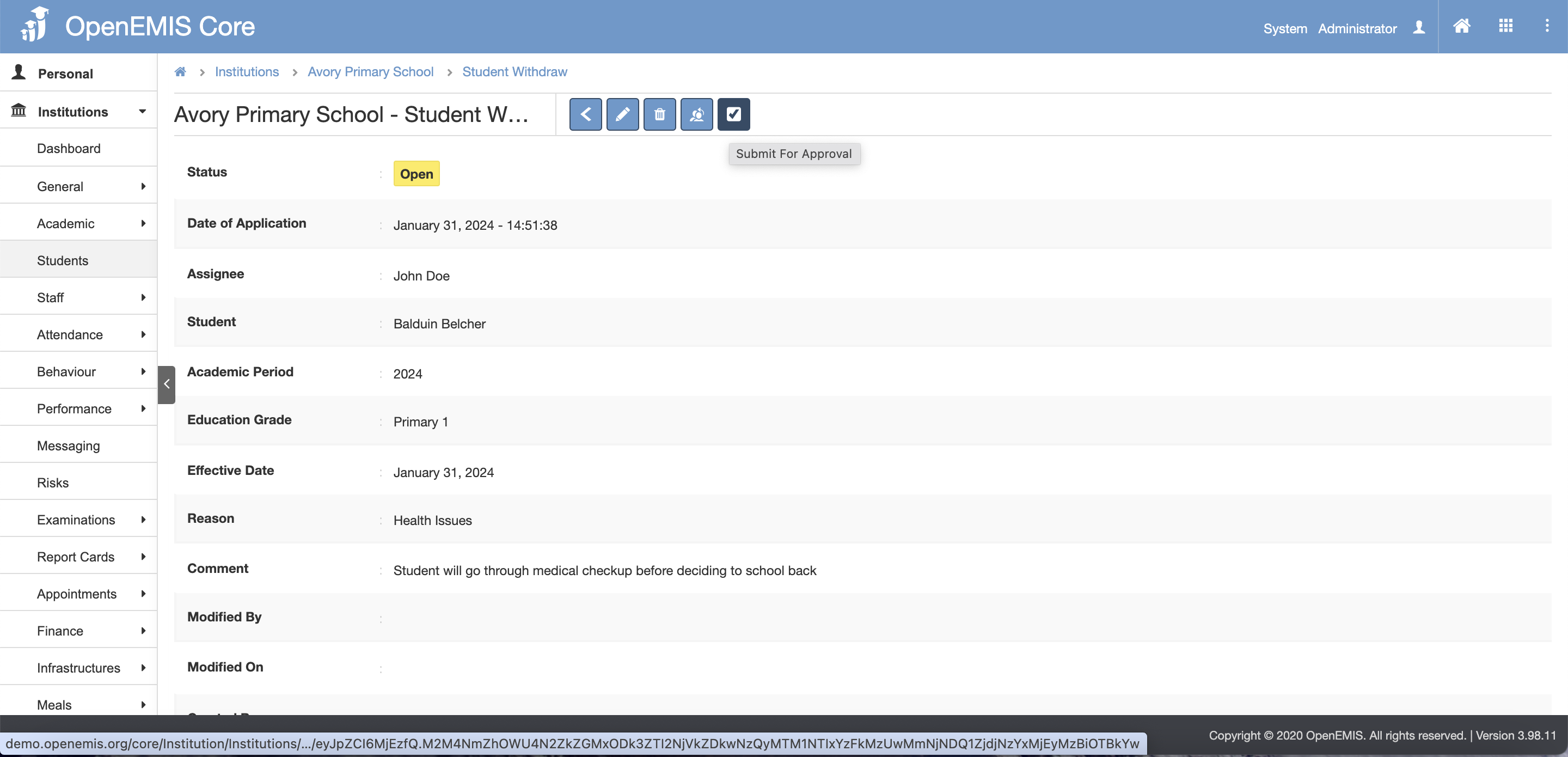
10. Select the student

11. Click on the Submit For Approval button
12. Select the Assignee

13. Then click Save button
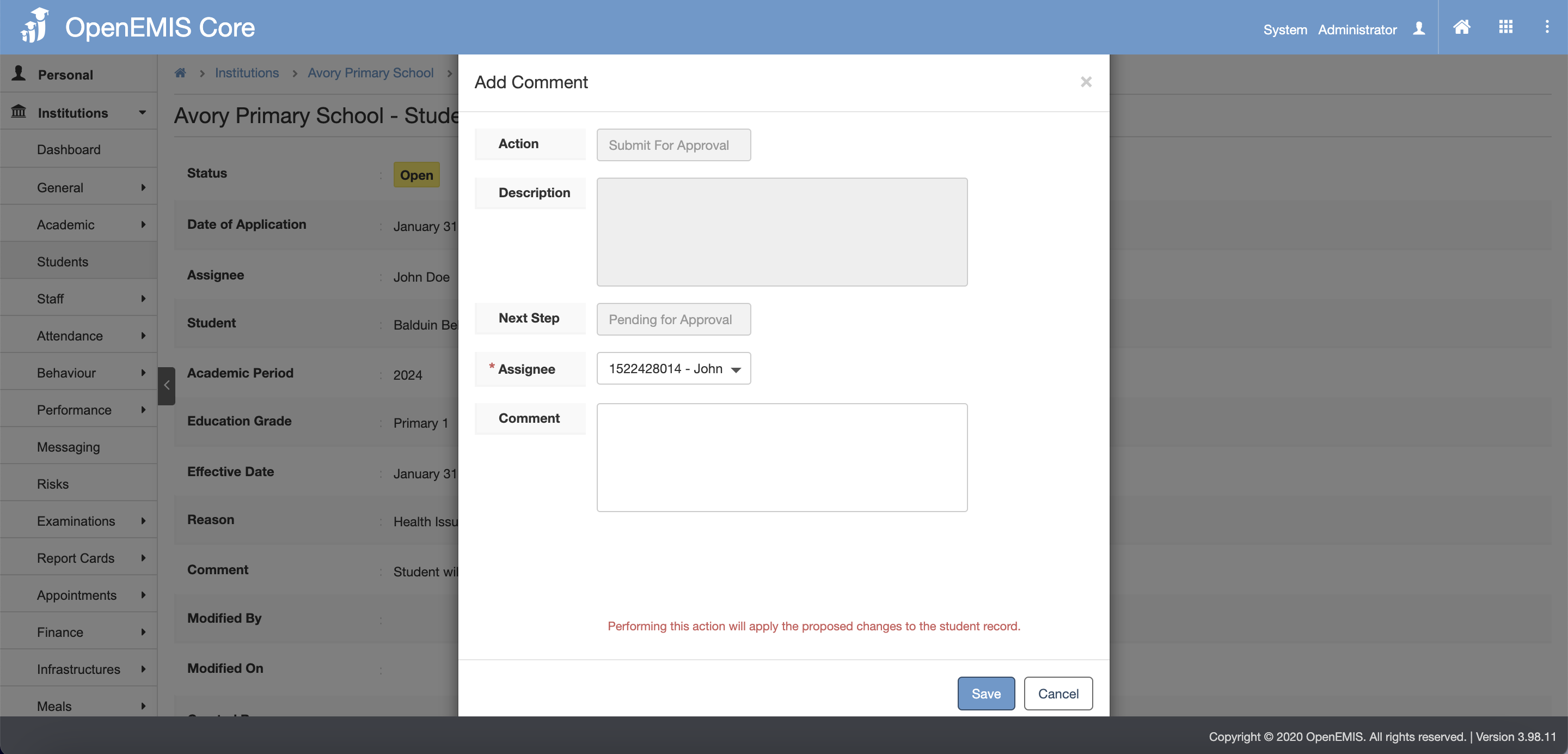
14. A successful message will display upon clicking the save button

15. Now status changed to Pending for Approval

16. Click on the Approved button

17. Select the Assignee

18. Then click Save button
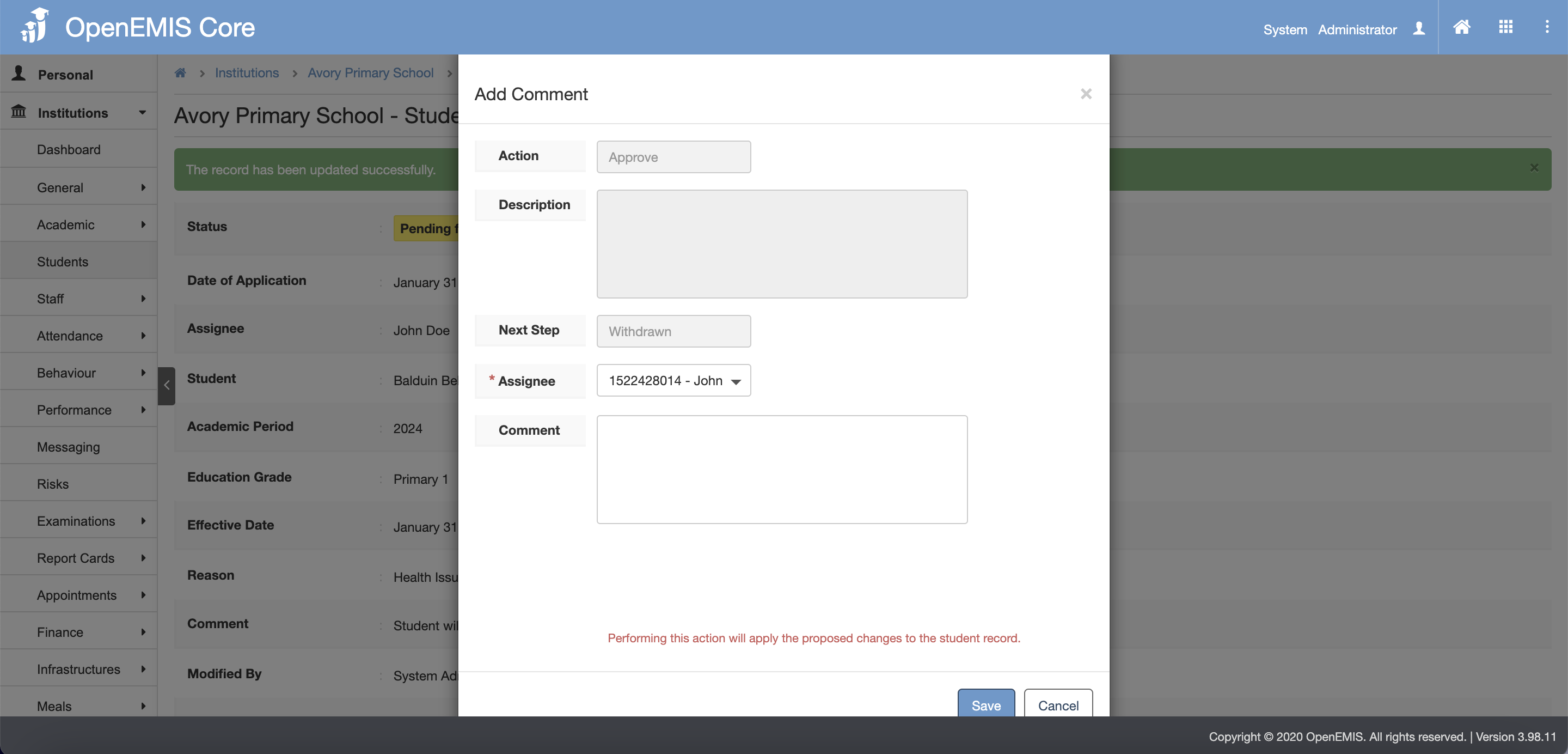
19. A successful message will display upon clicking the save button

    • Related Articles

    • Students Profile

      Name: OpenEMIS Core Article Name: Students Profile Category/Module: Students,Administration Version: 3.75.15 Date Updated: 13 July 2022 Purpose: This feature allows user 1) To add Students Profile 2) To edit Students Profile 3) To delete Students ...
    • Students Import

      Name: OpenEMIS Core Article Name: Student Import Category/Module: Students, Institutions Tags: Add Students Date Updated: 29 March 2022 Purpose: This Students Import feature allow users to: Import Students in bulk to the Directory. Import Students in ...
    • Students Import

      Name: OpenEMIS Core Article Name: Student Import Category/Module: Students, Institutions Tags: Add Students Date Updated: 29 March 2022 Purpose: This Students Import feature allow users to: Import Students in bulk to the Directory. Import Students in ...
    • Promoting Students

      Name: OpenEMIS Core Article Name: Promote Students Category/Module: Institution Tags: Institution Version: 3.98.12 Date Updated: 6 Feb 2024 Purpose: To promote students to the new academic year by bulk/individually Before performing promotions, the ...
    • Repeating Students

      Name: OpenEMIS Core Article Name: Repeating Students Category/Module: Institution Tags: Institution Version: 3.98.12 Date Updated: 6 Feb 2024 Purpose: To repeat students at the end of the school year. Before performing repeat, the following should be ...