Article Name: Adding Staffs to Institutions
Category/Module: Institutions
Version: 3.80.5
Date Updated: 6 Feb 2024
Easily add new staffs to Institutions using the Add feature. The system performs a system search before allowing creation of new records.
Features
- Adding new user
- Via Identity
- Via Basic Information
- Adding existing user
- Via Identity
- Via Basic Information
Things to take note: Before adding staff to Institutions, ensure that position have been created in order to assign position to staff upon adding: Add new Staff Position
Adding Staff to Institutions – Adding New User
1) Navigate to Institutions > Staff page.
2) Click on the “Add” button.

3) To add staff, fill in the Search by Identity OR Fill in the Search by Basic Information.
- Adding via Identity – select the Nationality and Identity Type and fill in the Identity Number.

- Adding via Basic Information – fill in the First Name and Last Name and select the Gender and Date OfBirth.

4) Click on the “Next” button.
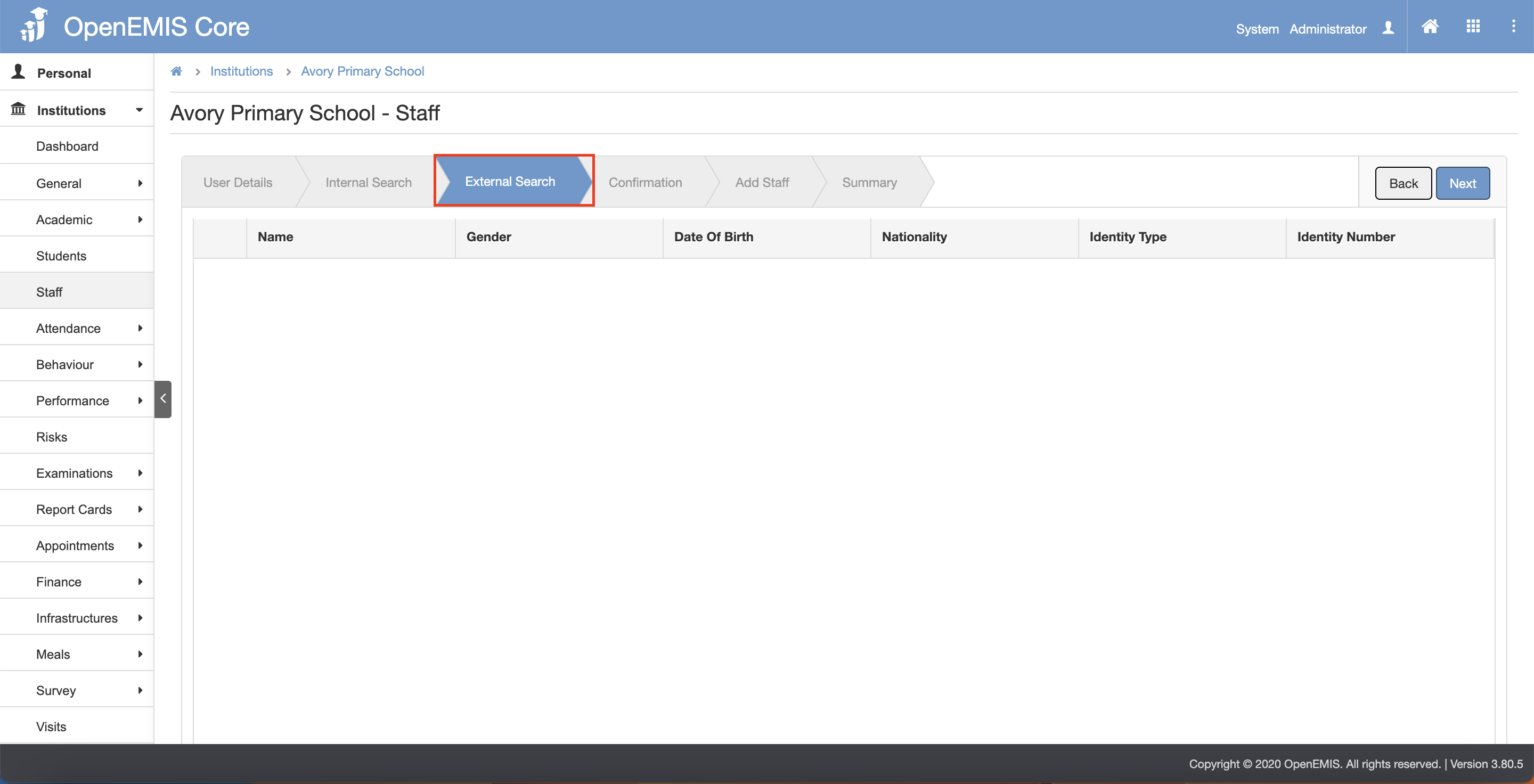
5) The page will go through Internal Search tab and External Search tab. (This is to avoid any duplicate records)
6) Click on the “Next” button after going through the Internal Search and External Search tab.
- Internal Search tab page

- External Search tab page
7) The page will navigate to the Confirmation tab page.
8) Click on the “Next” button.

9) The page will navigate to the Add Staff tab page.
10) Click on the “Confirm” button.

11) The page will navigate to the Summary tab page. There will be a message displaying that “Staff is added successfully”.

Adding Staff to Institutions – Adding Existing User
1) Navigate to Institutions > Staff page.
2) Click on the “Add” button.
3) To add staff, fill in the Search by Identity OR Fill in the Search by Basic Information.
- Adding via Identity – select the Nationality and Identity Type and fill in the Identity Number.

- Adding via Basic Information – fill in the OpenEMIS ID OR fill in the First Name and Last Name and select the Gender and Date Of Birth.

4) Click on the “Next” button.
5) The page will go through Internal Search tab and External Search tab. (This is to avoid any duplicate records)
6) Click on the “Next” button after going through the Internal Search and External Search tab.
- Internal Search tab page – if system found similar users in the records, there will be a message displaying:
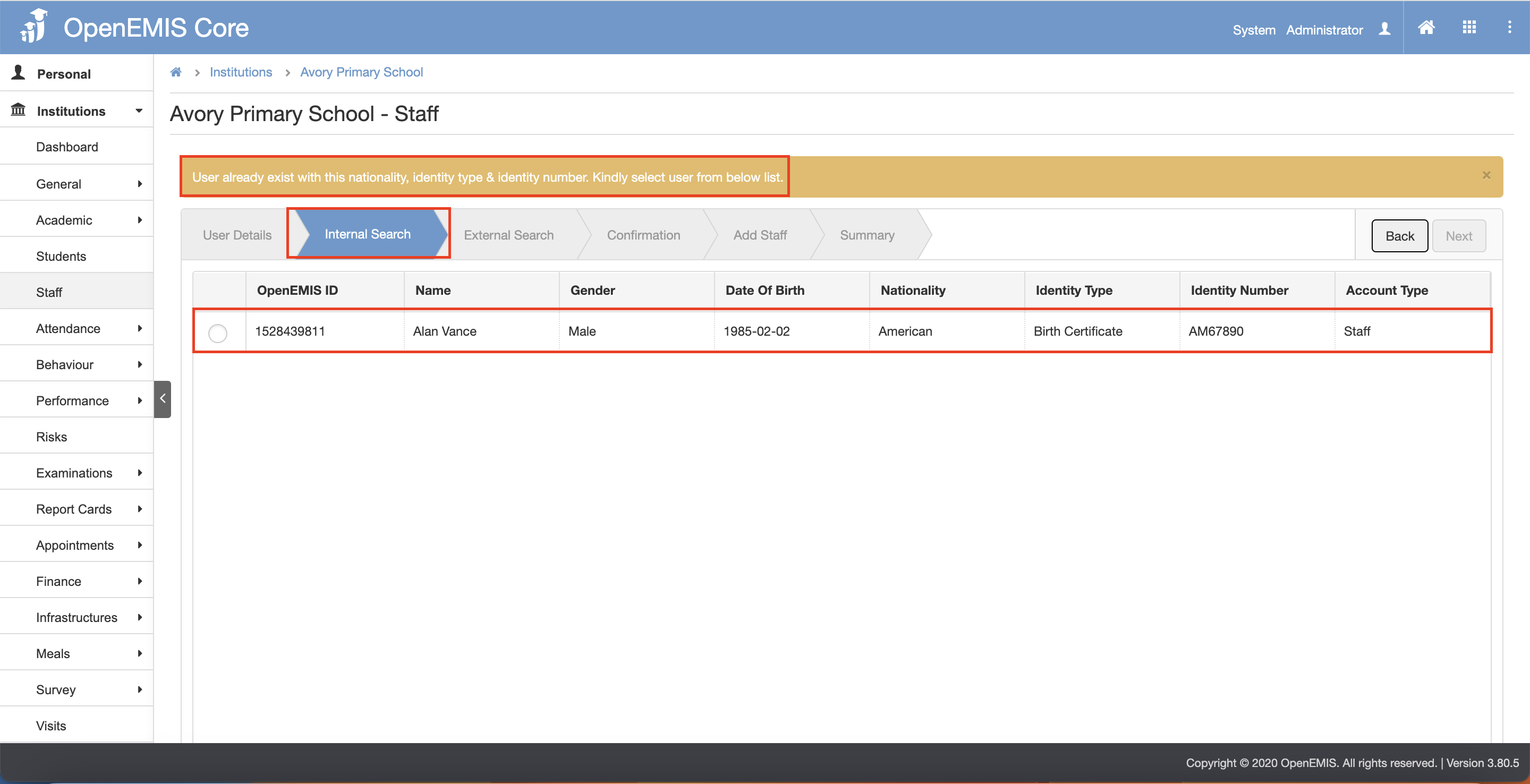
- External Search tab page
7) The page will navigate to the Confirmation tab page.
8) Click on the “Next” button.

9) The page will navigate to the Add Staff tab page.
10) Click on the “Confirm” button.

11) The page will navigate to the Summary tab page. There will be a message displaying that “Staff is added successfully”.
