End of Assignment

End of Assignment

End in Staff Assignment

New staff can easily be added to an institution, however, if a staff is moving from one institution to another or going on leave, the available options are “End of Assignment”, “Change in Staff Type” and “Change in FTE”.
End of Assignment releases a staff from one institution and allows another institution access to assign that staff to their institution. Below is a video tutorial and step by step guide for this process:

Video Player
00:00
01:06

Step 1: Select Staff on the left panel/menu, find the staff record by scrolling through the list or using the search, then click on select and choose edit.
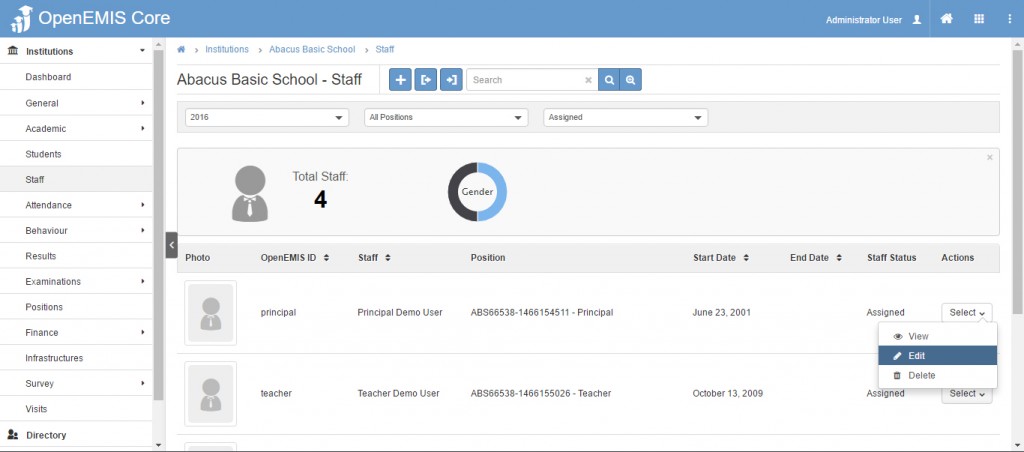
End of Assignment

Step 2: Select End of Assignment from the Staff Change Type selection.
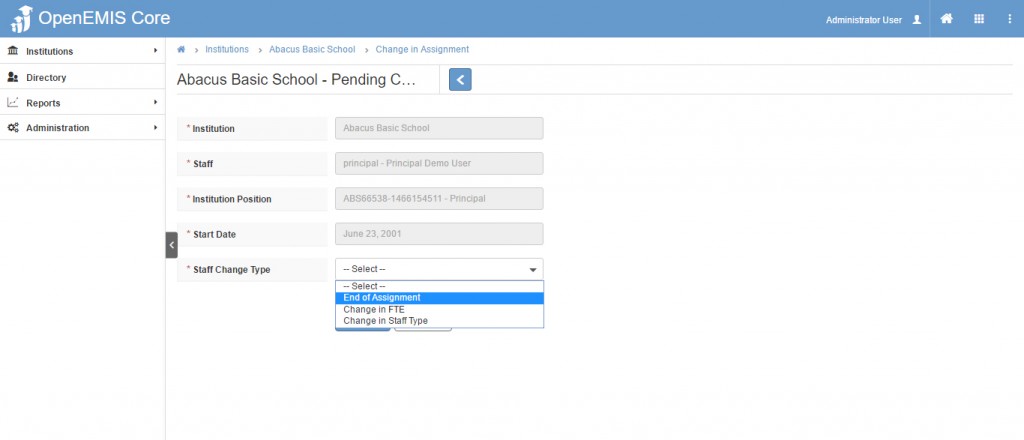
End in Staff Assignment

Step 3: The screen changes/refresh to display the field where you are able to enter the End Date. After entering the end date, click the save option.
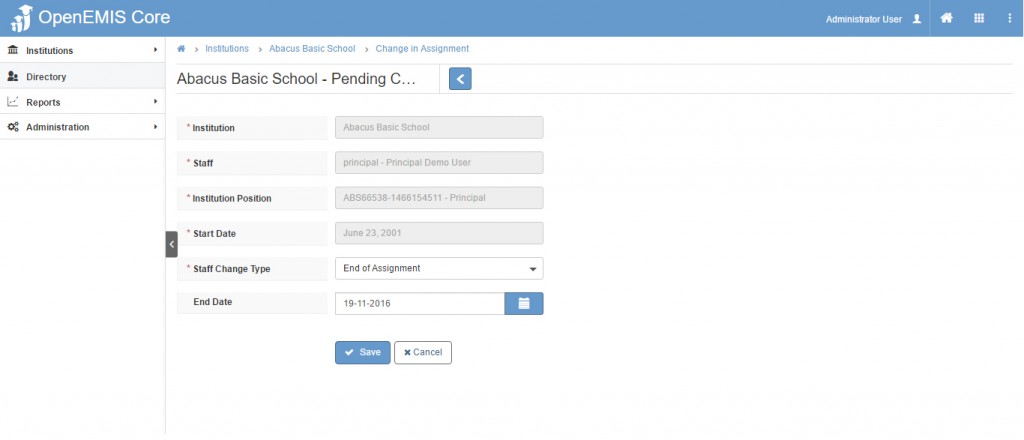
End Staff Assignment
The success status message will display in green.

End of Assignment

The status of the request will then be open and can be retrieved under Pending Change in Assignment. Approval of this request is then required.
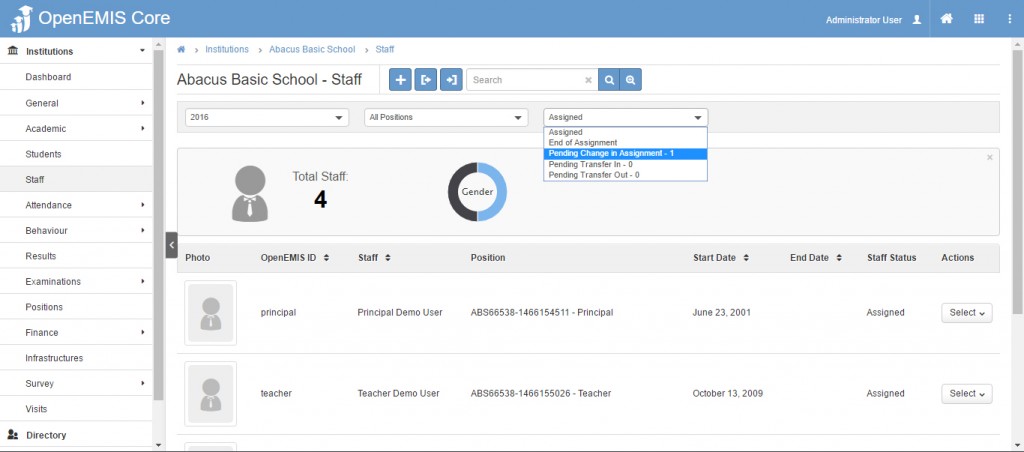
End of Assignment

Step 4: Users with permission to approve can open the request and click the approval option, which is the check mark icon at the top of the request.

End of Assignment

Step 5: The request changes to Pending Approval. Users with permission can click the approve icon at the top.
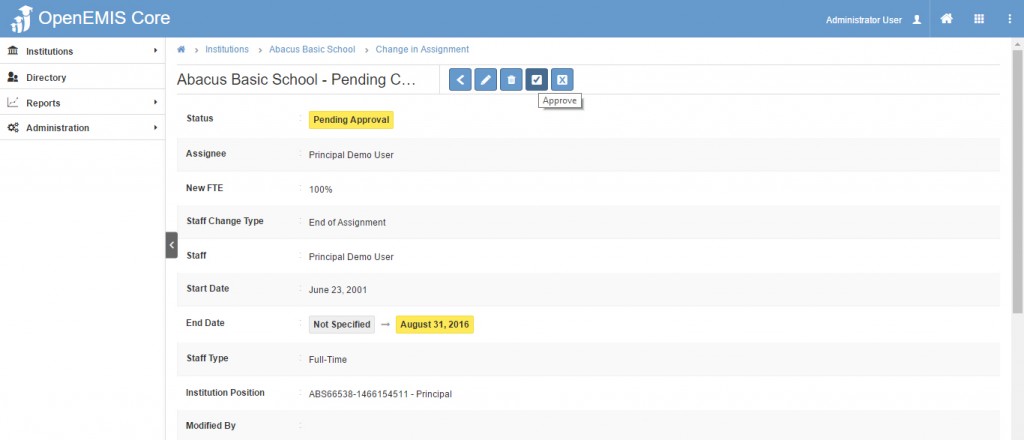
End of Assignment

In the pop-up window choose assignee (user) completing the approval and save.
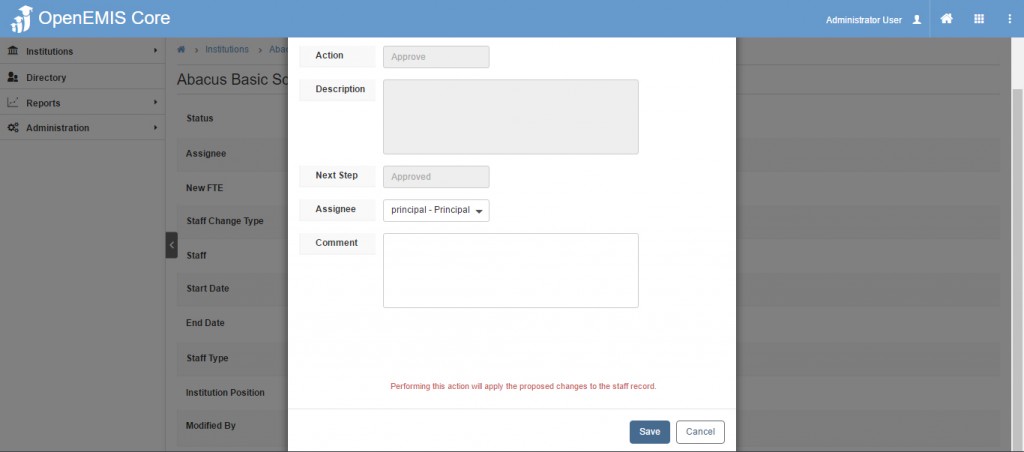
End of assignment

The status will change to Approved and the staff will no longer be listed under that academic year.
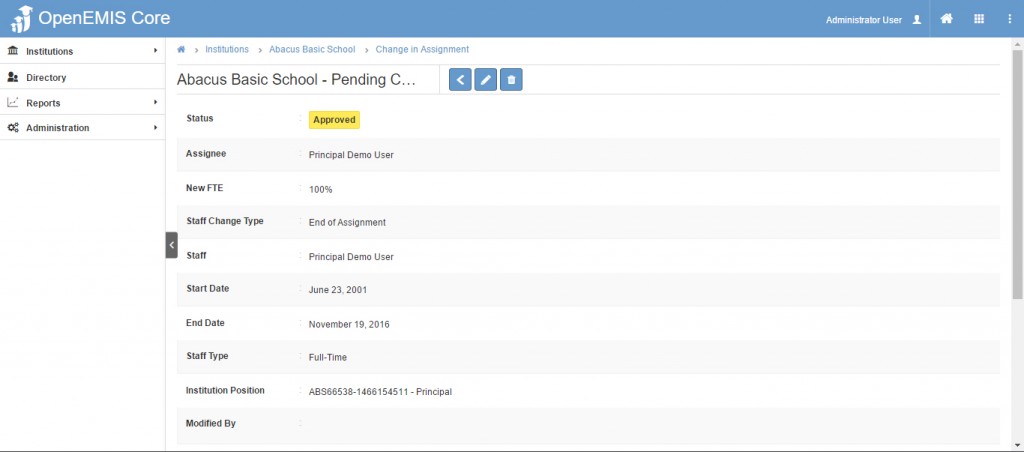
End of assignment


    • Related Articles

    • End of Academic Period Process

      Name: OpenEMIS Core Article Name: End of Academic Period Process Category/Module: Administration, System Configuration, Attendance, Institutions Version: 4.6.0 Date Updated: 13 January 2025 Purpose: End of Academic Period Process is necessary to ...
    • End of Academic Period Process

      Name: OpenEMIS Core Article Name: End of Academic Period Process Category/Module: Administration, System Configuration, Attendance, Institutions Version: 4.6.0 Date Updated: 13 January 2025 Purpose: End of Academic Period Process is necessary to ...
    • End of Academic Period Process

      Name: OpenEMIS Core Article Name: End of Academic Period Process Category/Module: Administration, System Configuration, Attendance, Institutions Version: 4.6.0 Date Updated: 13 January 2025 Purpose: End of Academic Period Process is necessary to ...
    • Staff Position Profile Workflow

      Users can now edit the Staff Position Profiles by selecting the change type via a single drop-down menu. The Staff Change Type menu allows the following changes: End of Assignment Change in FTE Change in Staff Type Each change type will go through ...
    • Staff Update Functions

      This knowledge base article covers the different Staff Update Functions like: End of Assignment Change in FTE Change in Staff Type Change of Start Date Change of Shift Homeroom Teacher Change in Staff Type Explanation: This function allow users to ...